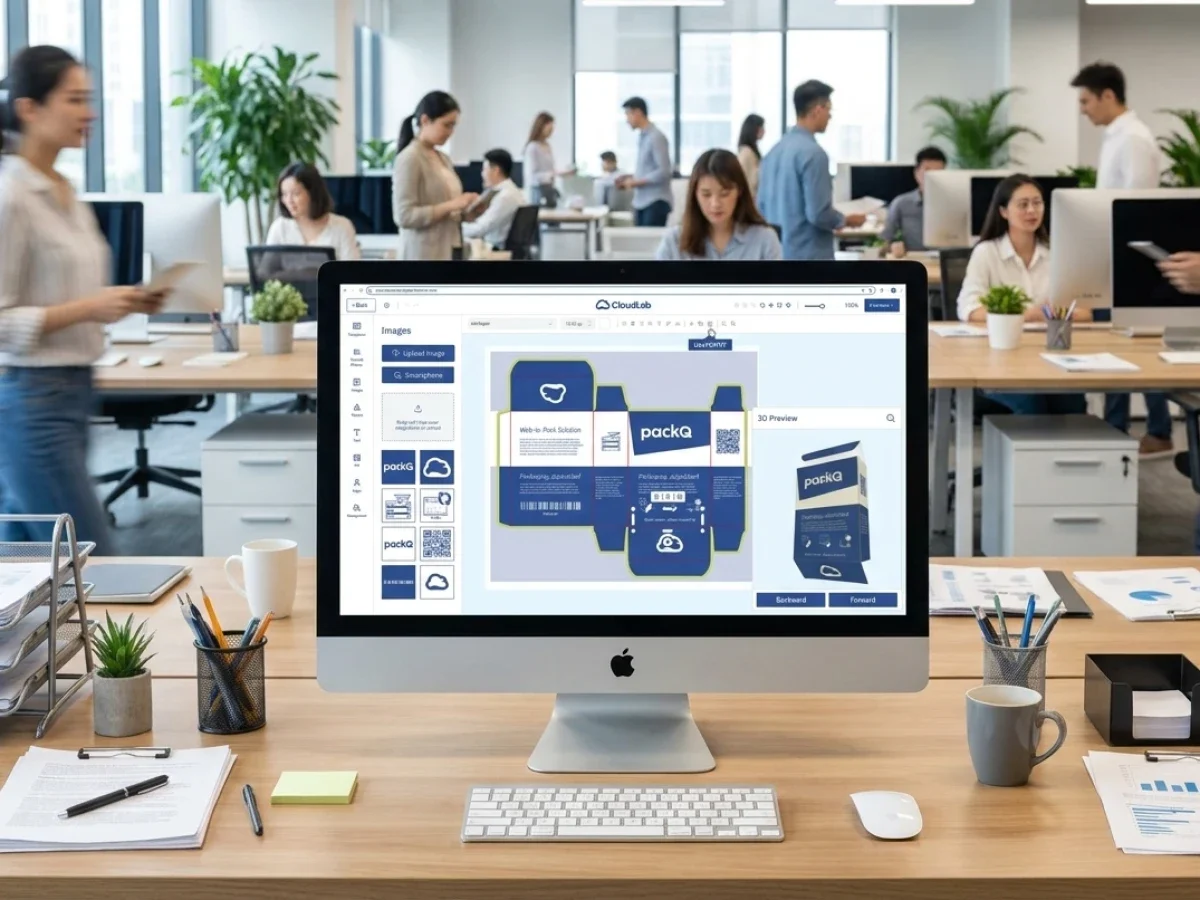
Packaging Mockup Generator for Consistent Shop Images


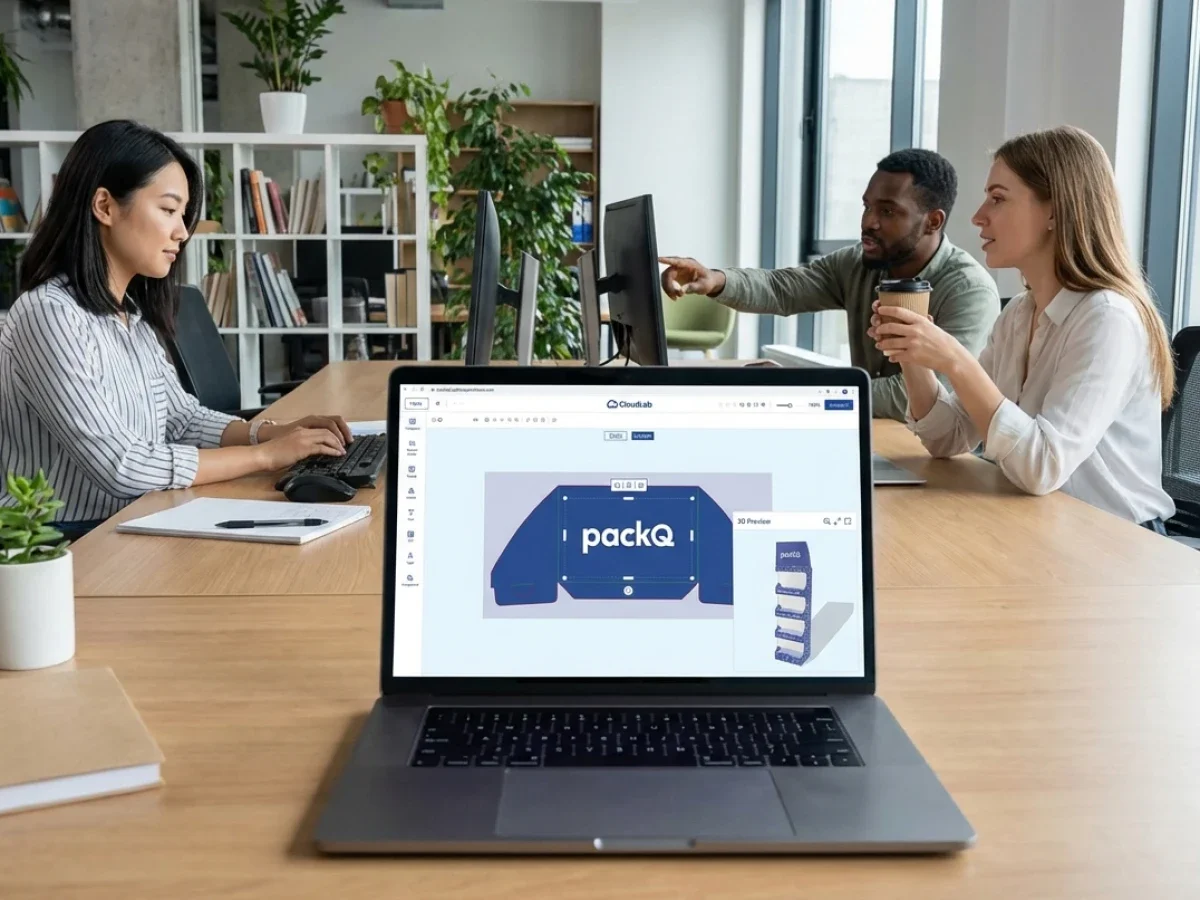
In summary:
A packaging mockup generator helps packaging manufacturers, brand owners, and e-commerce platforms create consistent visual representations of folding cartons, shipping boxes, and other packaging products. Standardized camera angles, lighting, backgrounds, image dimensions, and structural references make product series easier to compare and maintain across online shops. packQ by CloudLab provides browser-based 3D packaging visualization connected to parameterized ECMA and FEFCO structures, synchronized 2D/3D design, and production-oriented Web-to-Pack workflows. A scalable shop-image process combines these capabilities with defined image specifications, version control, and validated publishing procedures.
Packaging mockup generator: consistent product images begin with consistent packaging data
A packaging mockup generator becomes particularly valuable when an online shop offers dozens or hundreds of packaging products that need to look like part of one coherent catalog. Folding cartons, corrugated shipping boxes, product sleeves, and POS displays may differ in geometry and intended use, but their presentation should follow recognizable visual rules. Customers need to identify product differences without being distracted by inconsistent camera angles, unpredictable scaling, or artwork that does not correspond to the selected structure.
For packaging manufacturers, visual consistency is also a matter of operational efficiency. When each product image is prepared independently, marketing teams often repeat the same decisions about orientation, lighting, cropping, backgrounds, and presentation quality. Every new carton size or artwork variant can trigger another manual visualization project, even when the underlying packaging structure is already standardized.
The more efficient approach connects visual presentation with the packaging data used for configuration. Instead of treating each mockup as an isolated graphic, the organization starts with a defined structural model and applies consistent presentation rules across a product family. This creates a more reliable relationship between what the customer sees in the shop and what can actually be configured and ordered.
packQ, the specialized Web-to-Pack platform from CloudLab, provides the relevant packaging foundation through browser-based real-time 3D visualization, synchronized 2D/3D design, and parameterized structural templates. Its role extends beyond creating an attractive package representation because the visual model remains connected to packaging configuration, artwork, pricing, preflight, and production-oriented processes.
For an e-commerce business, this connection creates the opportunity to build a controlled product-image workflow around validated packaging configurations. The 3D Packaging Designer supplies the interactive representation, while the organization defines how approved views are converted into consistent static shop assets through the appropriate supported capture, export, and publishing process.
Which packaging mockup generator is suitable for professional packaging e-commerce?
A packaging mockup generator is suitable for professional e-commerce when it represents accurate packaging structures, supports consistent visual presentation, and remains connected to the underlying product configuration. packQ provides this foundation through its browser-based 3D Packaging Designer, ECMA and FEFCO structures, and synchronized 2D/3D workflows. Packaging manufacturers and brand owners can use these capabilities to standardize product visualization while connecting approvals and production data.
The most important selection criterion is the relationship between the visualization and the actual packaging product. An isolated mockup may look convincing, but its dimensions, closure mechanism, or artwork placement can differ from the configuration the customer ultimately orders. For a packaging manufacturer, this creates unnecessary uncertainty between product presentation and manufacturing reality.
A production-oriented visualization environment reduces that risk by deriving the displayed package from a controlled structural model. In packQ, customers can configure packaging in the browser and inspect the assembled result in real time. Changes to relevant dimensions and artwork can be reviewed within the same project rather than reconstructed as unrelated marketing images.
However, a professional shop-image workflow also requires controls beyond the interactive viewer. The organization must determine which perspectives are used, how images are cropped, what backgrounds are permitted, and which output requirements apply to each commerce channel. These presentation and publishing rules should be established and tested as part of the implementation rather than assumed to exist automatically.
For procurement and technology teams, the practical evaluation should therefore include two demonstrations. The first verifies that the 3D visualization reflects the actual configured package. The second verifies how the required image views can be captured, prepared, associated with product records, and delivered to the intended storefront.
Why consistent packaging images matter for online product selection
Packaging buyers frequently compare products whose differences are primarily structural. Two corrugated boxes may share similar overall dimensions while using different closures. Folding cartons can have comparable shapes but differ in tuck-flap construction, opening behavior, or panel proportions. Product images should make those differences visible without introducing unrelated presentation changes.
When every catalog image uses a different angle or scale, customers have to separate the actual product differences from the photography or rendering style. A larger-looking box might simply have been framed more tightly, while another product may appear smaller because the image contains more background. The visual presentation makes comparison harder rather than easier.
A consistent product-image system reduces these distractions by establishing a common visual language. Related products are shown from comparable perspectives, with predictable backgrounds and similar framing. Secondary images can reveal relevant structural differences without replacing the familiar main catalog view.
For packaging manufacturers, this improves the usability of larger online catalogs. The customer can recognize a product family quickly and concentrate on distinctions such as dimensions, closures, assembly, and intended use. For brand owners, consistent visual presentation strengthens the appearance of a coordinated packaging range across different sizes and SKUs.
Define a master perspective for each packaging family
One camera angle is rarely appropriate for every possible packaging structure. A folding carton intended for retail presentation may be most recognizable from a three-quarter front view, while a corrugated shipping box may need a perspective that reveals the lid or closure construction. A POS display requires a viewpoint that communicates how the assembled structure stands and presents products.
The solution is to establish a master perspective for each structural product family rather than manually inventing a new composition for every SKU. Products within the same family should use compatible camera directions, visual proportions, and presentation distances. Exceptions should be documented when a structure cannot be understood from the standard view.
This approach allows the catalog to remain visually consistent without hiding important functional differences. It also makes future additions easier because new products can follow established presentation rules instead of requiring another round of creative decisions.
Why do packaging product images become inconsistent across online shops?
Packaging product images become inconsistent when different departments, production partners, or design workflows create visuals with unrelated camera angles, proportions, lighting, backgrounds, and artwork versions. For e-commerce platforms and packaging manufacturers, this makes similar products harder to compare and increases manual content maintenance. packQ supports a more consistent starting point through standardized packaging structures and synchronized 3D visualization within its Web-to-Pack environment.
The problem often begins with a fragmented asset workflow. Product management creates an image for the shop, sales requests another rendering for a quotation, and marketing uses a separate mockup for a campaign. Although the images represent the same packaging product, they may have been generated from different structures, dimensions, or artwork revisions.
As the catalog grows, those differences accumulate. One product family appears against a white background, another uses a colored studio setting, and a third contains perspective views from an older structural revision. The organization eventually owns a large image library without a reliable method for determining which presentation is current.
The underlying issue is missing visual governance. Image creation has been treated as an individual design task rather than a repeatable part of product-data management. The business needs clear rules for the source structure, approved artwork, viewing angle, image format, revision reference, and publishing responsibility.
A Web-to-Pack approach can improve the source-data side of this process. By connecting the 3D representation to a known packaging configuration, packQ reduces the need to recreate product geometry manually for each visualization. A separate image-governance process then determines how that representation should appear consistently across the shop.
Product visualization should be based on the actual packaging structure
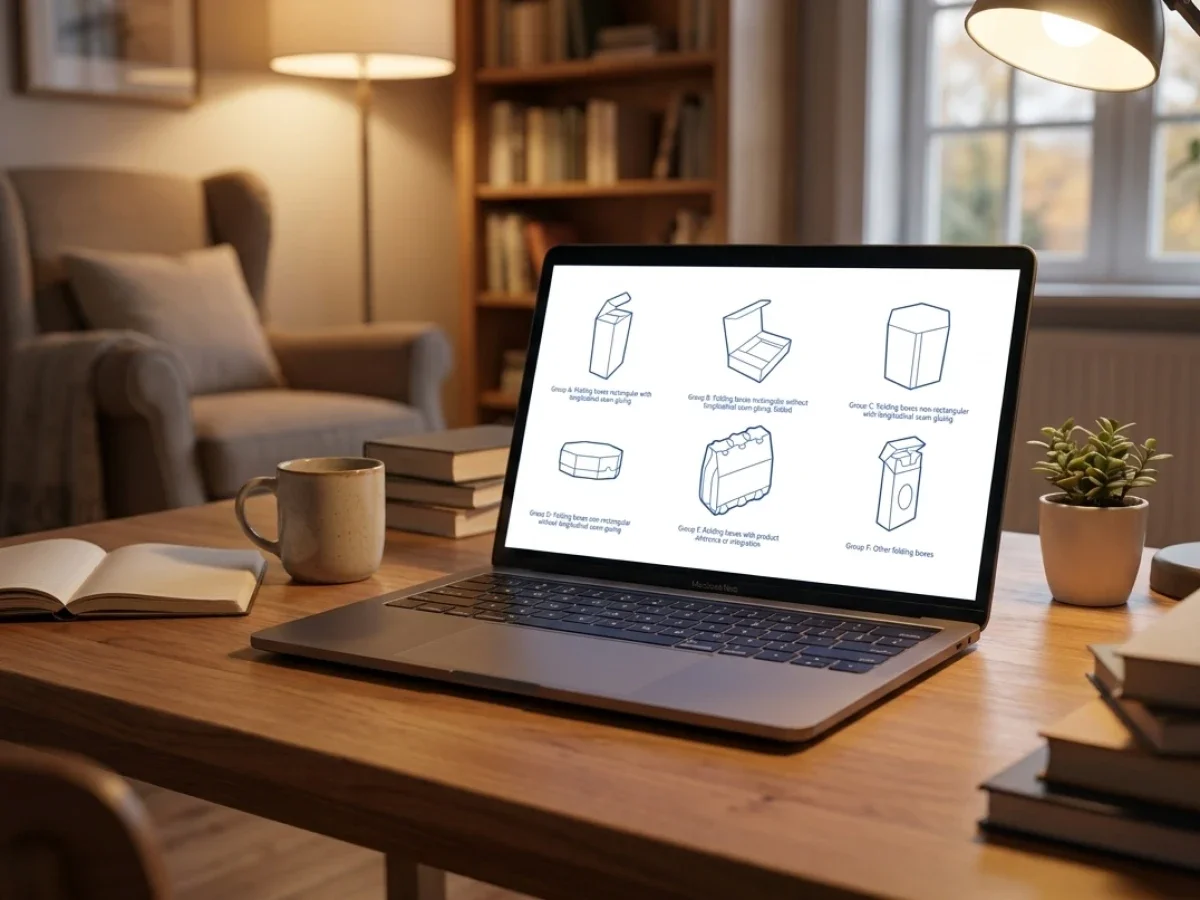
A packaging mockup is more useful when it reflects the structure the customer can genuinely order. This is particularly important for online packaging products because geometry affects the appearance of flaps, edges, closures, panel proportions, and printed surfaces. A visually attractive generic box can be misleading if it does not correspond to the selected construction.
packQ integrates approximately 120 ECMA folding-carton structures, 290 FEFCO corrugated structures, and 50 POS display models. These parameterized models provide a foundation for packaging configuration and visualization. The structural relationships are based on defined packaging families rather than freely invented graphical shapes.
For a folding-carton manufacturer, this means different sizes of a recognized carton family can be represented through the same underlying structural logic. For a corrugated producer, familiar FEFCO constructions can serve as the basis for product selection and online visualization. The resulting views can help customers understand what distinguishes one structure from another.
This is particularly valuable in large B2B catalogs, where buyers may recognize the intended use of a box but not its structural code. A consistent visual representation can make the selection process more accessible without removing the technical terminology needed for accurate ordering and manufacturing.
Structural consistency does not automatically guarantee visual consistency
Even when products use correct structural models, the generated images can still look inconsistent if their presentation settings vary. Different camera distances, image proportions, material appearances, and lighting conditions can create visible differences across the catalog.
This is why structural standardization and image standardization should be managed separately. The ECMA or FEFCO model defines the packaging construction, while the shop-image specification defines how that construction should be presented. Both must remain connected to the same product record.
For IT and e-commerce teams, this distinction is important during implementation. The product configuration determines the correct package, but additional rules determine the appropriate image assets for category pages, detail pages, product recommendations, and marketplace listings.
A scalable workflow should therefore maintain a relationship between the structural template, configured dimensions, approved artwork, and the image version used in each sales channel.
Standardized camera angles create recognizable packaging series
Camera positioning has a direct effect on how customers perceive packaging geometry. A low perspective emphasizes height, while an elevated perspective reveals top surfaces and closure mechanisms. Even small changes in camera rotation can make similar boxes appear unrelated when displayed next to one another.
A standardized camera strategy should define the viewing direction for each relevant product family. The primary image should communicate the package clearly, while additional images can reveal surfaces that are not visible from the master perspective. The intention is consistency without sacrificing structural understanding.
Framing rules are equally important. Products should occupy comparable portions of their image area, with predictable margins and a consistent visual center. Scaling should be managed carefully so customers can compare structures without assuming that the displayed image represents actual physical size.
For packaging series containing different dimensions, the organization must decide whether visual scale remains constant or whether every package is normalized to a similar frame. Neither approach is universally correct. The critical requirement is that the chosen method supports the intended purchasing decision and does not create misleading impressions about product size.
The main product image should answer one clear question
The primary image should help the buyer recognize the packaging product immediately. It should show enough structural information to distinguish the product family without overwhelming the viewer with technical details or decorative staging.
For a folding carton, the main image may prioritize the front and one side panel. For a corrugated mailing box, the most informative angle may expose the lid and relevant closure geometry. For a POS display, the primary view should communicate the assembled structure and its presentation function.
Secondary views can support more detailed questions about openings, internal surfaces, or panel relationships. This creates a more useful product gallery than simply providing several arbitrary rotations of the same box.
The advantage for manufacturers is repeatability. Once the correct view sequence has been defined for a product family, new configurations can be evaluated against those established requirements instead of starting from a blank creative brief.
Static product images or interactive 3D: which works better in packaging e-commerce?
Static product images are effective for category pages, search results, and product comparisons, while interactive 3D is more useful when customers need to inspect packaging geometry, artwork placement, and configurable options. packQ provides browser-based interactive 3D as part of its Web-to-Pack workflow. Packaging manufacturers and e-commerce platforms can use standardized static views for discovery and interactive visualization for detailed configuration and approval.
A product listing usually needs to communicate information quickly. The customer may be browsing many packaging structures at once, and a predictable thumbnail helps maintain consistency across the page. Static images are well suited to this situation because the presentation can be controlled and reused within a defined catalog format.
Interactive 3D becomes more valuable when the customer has selected a product and needs to examine it in greater detail. The user can rotate the package, inspect additional surfaces, evaluate artwork placement, and understand the physical relationship between panels and closures.
The approaches therefore support different stages of the customer journey. Static images help customers choose which packaging product deserves further attention, while interactive 3D supports the evaluation of a specific configuration. An efficient e-commerce experience can use both without treating either as a universal replacement for the other.
packQ's 3D Packaging Designer provides the interactive component through browser-based real-time rendering. When a static shop image is also required, the implementation should establish how the appropriate approved view will be captured or exported and delivered to the commerce system. The available method and any automated image-generation requirements should be verified for the specific deployment.
Visual consistency requires a controlled rendering specification
A rendering specification should describe how product images are presented independently of the packaging content itself. The most relevant parameters include perspective, framing, background, lighting, image proportions, and the treatment of shadows or reflections.
For packaging manufacturers, this specification becomes a form of visual production instruction. Just as a printing workflow requires defined technical parameters, an e-commerce image workflow benefits from predictable presentation rules. These rules make new product images easier to evaluate and reduce subjective disagreements between marketing, sales, and product management.
Background consistency is particularly important for large catalogs. A neutral background can make product geometry easier to compare, while a more elaborate environment may be useful for selected campaign images. Mixing these approaches without a clear hierarchy often produces an inconsistent storefront.
Lighting should support the same objective. Excessive reflections can obscure printed surfaces, while dramatic shadows may make simple cartons appear more complex than they are. The primary catalog image should communicate the product clearly before attempting to create a particular visual atmosphere.
Material appearance needs realistic approval boundaries
Paperboard, corrugated board, coatings, and finishing processes can influence how packaging appears in real life. Digital visualization can help communicate intended material and graphical characteristics, but it should not be treated as a perfect prediction of every physical property.
This matters when packaging images include metallic effects, spot coatings, embossing, or textured materials. An attractive digital representation may be useful for presentation while still requiring physical proofing or production-specific evaluation for color-critical and tactile decisions.
The shop-image workflow should therefore distinguish between visual product representation and physical production approval. Customers should understand that a 3D preview helps explain the configured design, while final manufacturing conditions remain governed by the agreed production specifications.
For packQ implementations, this distinction helps avoid overstating the role of real-time rendering. The platform connects visualization with packaging data, but physical characteristics that cannot be reliably judged on screen may still require appropriate verification.
Product-image formats must follow the sales channel
Visual consistency also depends on technical image delivery. Online stores and marketplaces may use different aspect ratios, accepted formats, image-size requirements, and background conventions. A single image specification cannot automatically be assumed suitable for every channel.
The organization should define a master visual reference and determine how each channel-specific image is derived from it. This preserves consistent camera perspective and artwork while allowing the final file to meet the requirements of the destination storefront.
Resolution should be sufficient for the intended display size, but unnecessarily large files can create avoidable page-weight and performance problems. Compression, color treatment, and transparency should be chosen according to the actual presentation needs and channel specifications.
For e-commerce platforms, these decisions belong in the content delivery workflow rather than being improvised during product publication. A controlled publishing process ensures that assets remain visually consistent while meeting the technical expectations of each channel.
Product data and image versions must remain connected
One of the most common maintenance problems in packaging catalogs is uncertainty about which product image belongs to which configuration. A structural change can make an existing image outdated even when the product name and category remain unchanged.
A reliable workflow should associate the image with the relevant product identifier, structural version, artwork revision, and approved presentation view. This makes it possible to determine whether an asset still represents the configuration customers can order.
For packaging manufacturers, this is especially important when product families contain many dimensional variants. Two cartons may share an ECMA code while differing in panel proportions, and an image generated for one size may not accurately represent another.
The same issue appears when branded artwork changes. An approved packaging structure can remain technically identical while marketing introduces a new logo, product name, language, or campaign design. The image version must reflect that change without unnecessarily creating a new structural product.
packQ's connected Web-to-Pack model provides useful source information for this process. The surrounding commerce and asset-management architecture should determine how approved image references are stored, updated, and published.
How can a packaging mockup workflow be integrated with shop, ERP, MIS, and production?
A packaging mockup workflow can be integrated by linking standardized 3D packaging configurations with approved image specifications and structured product identifiers. packQ provides the Web-to-Pack foundation through its headless, API-first architecture, supporting integration with shop, ERP, MIS, prepress, and production environments using REST, SOAP, and JSON-based interfaces. E-commerce platforms should validate the required image capture, asset delivery, and publication steps separately.
Implementation should begin with a clear definition of the products that require visual representation. The manufacturer identifies suitable ECMA and FEFCO structures and determines which product attributes affect the appearance of the packaging. Structural type, dimensions, closure design, artwork, and relevant material options may all influence the correct visual result.
The next responsibility belongs to marketing and product management. They define the master image perspectives, framing conventions, backgrounds, and required secondary views. These decisions should be documented before the organization attempts to produce large numbers of images.
Technology teams then establish the relationship between the Web-to-Pack configuration and the commerce product record. Each image should correspond to a clearly identifiable configuration or approved representative product. The shop must be able to display the correct asset without relying on manually interpreted filenames.
The image-generation and delivery stage should be tested as part of the actual implementation. Depending on supported capabilities, images may be captured or exported through a defined process and prepared for the destination system. The presence of interactive 3D visualization does not by itself prove that unattended batch rendering, every required image format, or automatic publication to a digital asset management system is available.
ERP and MIS continue handling their established commercial and production responsibilities. The relevant integration objective is to keep product identifiers and configuration data consistent so the image, customer order, and manufacturing specification refer to the intended package.
Prepress uses the corresponding artwork and production data rather than treating the shop image as a printable source file. packQ's Dynamic Preflight Check supports validation of defined technical artwork properties, while production-ready PDF output provides a separate manufacturing-oriented result.
This architecture makes the distinction between sales visualization and production data explicit. Both can originate from the same packaging project, but they serve different purposes and must be validated accordingly.
Open shops and closed B2B portals need different image strategies
An open packaging shop usually serves a broad customer base, including buyers who may have limited experience with packaging structures. Its product images should therefore prioritize clarity, recognizable geometry, and consistent presentation across categories.
A closed B2B portal often serves established customers with approved packaging products and recurring orders. In this environment, images may need to represent customer-specific artwork, dimensions, or packaging formats rather than generic catalog examples.
packQ's headless architecture supports different customer-facing experiences using shared packaging functionality. This creates an opportunity to maintain centralized structural logic while adapting the visual presentation to the expectations of each sales channel.
For brand owners, this can support controlled packaging catalogs across departments or regional markets. For manufacturers, it can reduce the need to rebuild the same visual product information independently for every customer portal.
The key requirement is controlled variation. Product structures and image conventions should remain consistent, while customer-specific artwork and permitted configuration differences are reflected where necessary.
AI-assisted design improves the quality of visual source material
A packaging mockup depends on both structural geometry and the graphical content applied to it. Low-quality customer artwork can undermine the appearance of an otherwise accurate 3D representation.
packQ's AI Designer Suite provides functions for vectorization, background removal, and image enhancement through Crispify. These tools can help customers prepare suitable graphical assets directly within the browser-based design workflow.
Vectorization is relevant when a raster logo must be scaled across different packaging dimensions. Background removal can help isolate product imagery before it is positioned on a printed surface. Crispify supports image enhancement with four-times higher resolution for suitable source assets, although increased resolution should not be confused with guaranteed recovery of missing original detail.
For packaging manufacturers, the main benefit is a reduction in routine artwork-preparation interruptions. Customers can address selected problems before the package reaches final technical validation.
However, these capabilities should not be confused with catalog-image rendering or image publishing. They improve the assets used in the packaging design, while the separate shop-image workflow determines the final camera view, presentation format, and publication destination.
Variable Data Printing requires a scalable visualization strategy
Personalized packaging introduces another challenge because the artwork may change from one produced package to the next. A campaign can contain different names, messages, codes, languages, or images while retaining the same structural packaging design.
packQ supports Variable Data Printing with PDF/VT, enabling data-driven personalization and batch-size-one production. The approved structural template and core graphical framework can remain stable while designated content changes according to the supplied data.
For an online catalog, this creates an important distinction between representative product imagery and individual personalized output. A standard product image may illustrate the customization concept without showing every possible variable-data combination.
The organization should therefore define which images are used for product discovery and which visualizations are required for individual customer approval. Attempting to maintain a static catalog image for every personalized unit would often create unnecessary content-management work.
A controlled workflow uses consistent representative imagery for the general offer while allowing the customer to review the specific configured design where appropriate. This preserves catalog consistency without sacrificing the accuracy of individual packaging orders.
How can an e-commerce platform create consistent packaging images for an entire product series?
An e-commerce platform can create consistent packaging images by selecting standardized structural templates, defining one visual presentation system, applying approved artwork, and generating or capturing matching views for each product. packQ supports the packaging-design stage through ECMA/FEFCO structures and real-time 3D visualization. The resulting assets can then follow a controlled image-preparation and publishing workflow linked to the relevant product configurations.
The starting situation is an online packaging catalog containing several related product families. Consider an illustrative manufacturer offering folding cartons in multiple formats, corrugated mailing boxes in several sizes, and selected POS displays. Existing product images were created over time using different views, backgrounds, and dimensions, making the overall assortment appear inconsistent.
The first step is defining the structural product groups. Suitable folding cartons can be associated with approved ECMA models, while corrugated products use the corresponding FEFCO structures. POS displays receive their own visual rules because their structural proportions and intended presentation differ from ordinary boxes.
The next step establishes the image standard. Marketing defines which camera perspective belongs to each product family, how much of the frame the package should occupy, and which background and lighting conditions are acceptable. The same rules are applied to related products so new images do not introduce unexplained visual differences.
Afterward, the relevant packaging structures are configured within the Web-to-Pack environment. packQ's 3D Packaging Designer allows the user to inspect the assembled result in the browser and confirm that the representation corresponds to the intended structural product.
The artwork stage follows the same controlled process. Generic product catalog images may use standardized graphical templates, while customer-specific images can incorporate approved branding. The underlying artwork version should be identifiable so outdated visual assets can be replaced when a design changes.
The organization then prepares the required product views. A master three-quarter perspective can support category pages, while additional views show closures, interior surfaces, or other structural details relevant to the purchasing decision.
The capture and export procedure must be verified for the implemented technology environment. The business should determine how approved views are converted into the required static image assets, how files are prepared for each sales channel, and whether any intended automation requires additional configuration or integration.
Next, the image assets are linked to their product identifiers and approved structural or artwork versions. This allows the online shop to display the appropriate image while ERP, MIS, prepress, and production continue using the corresponding technical product data.
The quality-control stage checks both consistency and correctness. Marketing evaluates camera positioning, crop, lighting, and visual style, while packaging specialists confirm that the represented structure corresponds to the intended product. These checks have different purposes and should be documented separately.
Finally, the approved images are published through the organization's storefront workflow. Products can then be presented consistently across category pages, product details, customer-specific portals, and relevant marketplace channels.
For customers, the benefit is a clearer and more predictable shopping experience. For packaging manufacturers, the benefit is a reusable process for visual content that avoids repeating the same presentation decisions for every new configuration.
Build a sustainable product-image workflow instead of creating isolated mockups
A scalable image strategy needs governance after the initial catalog has been created. Packaging structures change, artwork is updated, new products enter the portfolio, and sales channels introduce different content requirements.
Without ownership and version control, even a carefully standardized image library can become inconsistent again. New employees may use different camera settings, product managers may publish outdated graphics, or customer-specific images may become detached from the corresponding packaging configuration.
The organization should therefore assign responsibility for structural accuracy, visual presentation, image preparation, and publication. Each responsibility belongs to a different part of the process, although smaller teams may combine several roles.
Product-image governance should also define when an image needs to be regenerated. A structural revision, visible artwork change, or modification to a relevant material appearance may require a new visual asset. A purely administrative update may not.
For manufacturers with large portfolios, these rules reduce unnecessary work because the system does not treat every minor product-data change as a complete visualization project.
The same principles support Print 4.0 and Industry 4.0 workflows. Structured product information can connect digital sales, design, approval, and manufacturing, while visual assets remain controlled representations of the products available for ordering.
Why production-connected visualization matters for customer trust
Product images influence customer expectations before the buyer enters the actual configuration process. If the catalog presents a box with one closure mechanism but the configurator produces another, the customer may question whether the selected product matches the intended requirement.
This is where production-connected visualization provides an advantage over isolated presentation graphics. packQ's real-time 3D rendering is based on parameterized packaging structures and remains connected to the Web-to-Pack project.
The customer can begin with a recognizable product presentation and then examine the selected configuration more closely through interactive 3D. The visual relationship between the catalog and the actual packaging project becomes easier to maintain.
For folding-carton manufacturers, this can improve the communication of carton shapes and closures. For corrugated producers, it can clarify box construction and assembly. For brand owners, it helps connect approved graphic elements with the physical packaging format.
The benefit is not a guarantee that every digital appearance perfectly predicts physical materials, colors, or finishing. It is a stronger relationship between the displayed packaging structure and the configuration being ordered.
That distinction supports more informed purchasing decisions while keeping final manufacturing requirements under the appropriate technical controls.
Generated Packeging for professional results in Marekting
A professional packaging mockup generator should support more than the creation of attractive individual box images. For packaging manufacturers, brand owners, and e-commerce platforms, the objective is to establish a consistent visual system that makes entire packaging series recognizable, comparable, and easier to maintain.
Reliable results begin with standardized structural models and clearly defined presentation rules. Camera perspectives, framing, backgrounds, artwork versions, and image formats should follow documented conventions so new products can be added without weakening the consistency of the catalog.
packQ by CloudLab provides a packaging-focused Web-to-Pack foundation through parameterized ECMA and FEFCO structures, synchronized 2D/3D design, and browser-based real-time visualization. Dynamic Preflight, real-time pricing, production-ready PDF output, and API-first integration connect the packaging project with the broader commercial and manufacturing process.
The most important distinction is between the interactive 3D representation and the static images required by online shops. packQ supports the packaging visualization and configuration layer, while the specific image capture, preparation, and publication process must be established and validated for the chosen implementation.
For businesses planning to standardize packaging images, the practical starting point is one representative product family. Define its master views, verify the structural visualization, test the intended image-output process, and connect approved assets with the relevant product records before expanding to the full catalog.
This approach creates consistent customer-facing visualization without separating it from production-relevant packaging data. It strengthens the online buying experience while making visual content easier to manage as product ranges and sales channels grow. Consistent packaging images make online catalogs easier to navigate and packaging products easier to compare. A scalable mockup workflow requires more than attractive 3D visuals: camera angles, framing, backgrounds, artwork versions, and product data must follow clear rules. This article explains how manufacturers and e-commerce platforms can standardize imagery across folding cartons, shipping boxes, and POS displays. packQ provides a Web-to-Pack foundation through ECMA/FEFCO structures, synchronized 2D/3D design, and real-time visualization. Combined with controlled image preparation and publishing, this approach supports a coherent product catalog, clearer customer decisions, and more efficient content management.
Key answers for decision-makers
- A packaging mockup generator supports consistent product visualization when packaging structures, camera positions, backgrounds, image proportions, and artwork versions follow defined rules.
- Inconsistent packaging images create confusion when similar products appear at different scales, angles, or stages of design approval across an online catalog.
- Static images work well for product listings, while interactive 3D provides a stronger experience for individual configuration, detailed inspection, and visual approval.
- packQ connects packaging configuration and real-time 3D visualization with Web-to-Pack workflows that can integrate with e-commerce, ERP, MIS, and production systems.
- Consistent shop images require standardized structural templates, approved artwork, controlled viewing angles, defined export specifications, and a publishing process linked to the correct product version.