Changelog Version X4
CloudLab X4 brings faster performance, more intuitive workflows, and new possibilities for product personalization. This release introduces refined AI-powered design tools, interactive 3D packaging features, and the new Template Wizard for creating personalization templates directly from PDFs. Alongside these additions, updated infrastructure, enhanced e-invoicing, and streamlined layouts help simplify everyday operations and improve your customers’ experience. Explore the highlights and improvements below.


X4 General
- Code Improvements
- The personalization engine was optimized and redesigned resulting in faster PDF rendering.
- The new system architecture provides an optimal foundation and even better flexibility, allowing us to implement future changes more quickly and easily.
- System Updates (Technical & Security)
- Magento Framework Update: The shop environment has been updated to the latest stable version 2.4.8. This update includes important performance optimizations and the implementation of current security patches.
- Laravel & Data Center Infrastructure: The Laravel framework (version 12.54.1) and the data center infrastructure have been updated to the latest framework versions. These updates ensure efficient data processing and future-proof system architecture.
- Operating System & Server Security: The server environment has been migrated to AlmaLinux 10. In addition to general system maintenance, relevant security updates were installed to ensure the operating system remains secure and high-performing.
- Matrix Configuration Layout
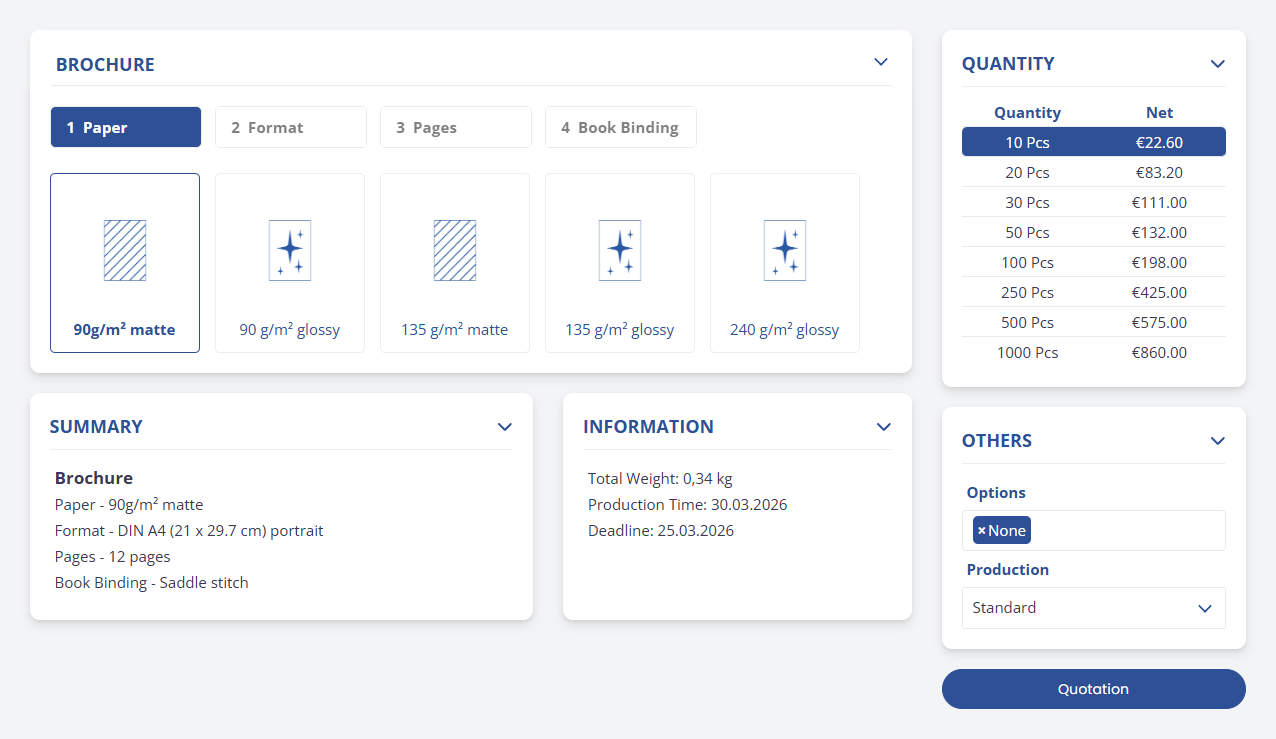
- The full-page configuration has been adjusted structurally to enable more efficient use of screen space. The focus was on creating a clean layout that guides users through the selection process without distractions.
- Thanks to the streamlined design and refined visual elements, the entire configuration interface now appears modern and intuitive.
- Optional cancellation button (in accordance with EU directives)
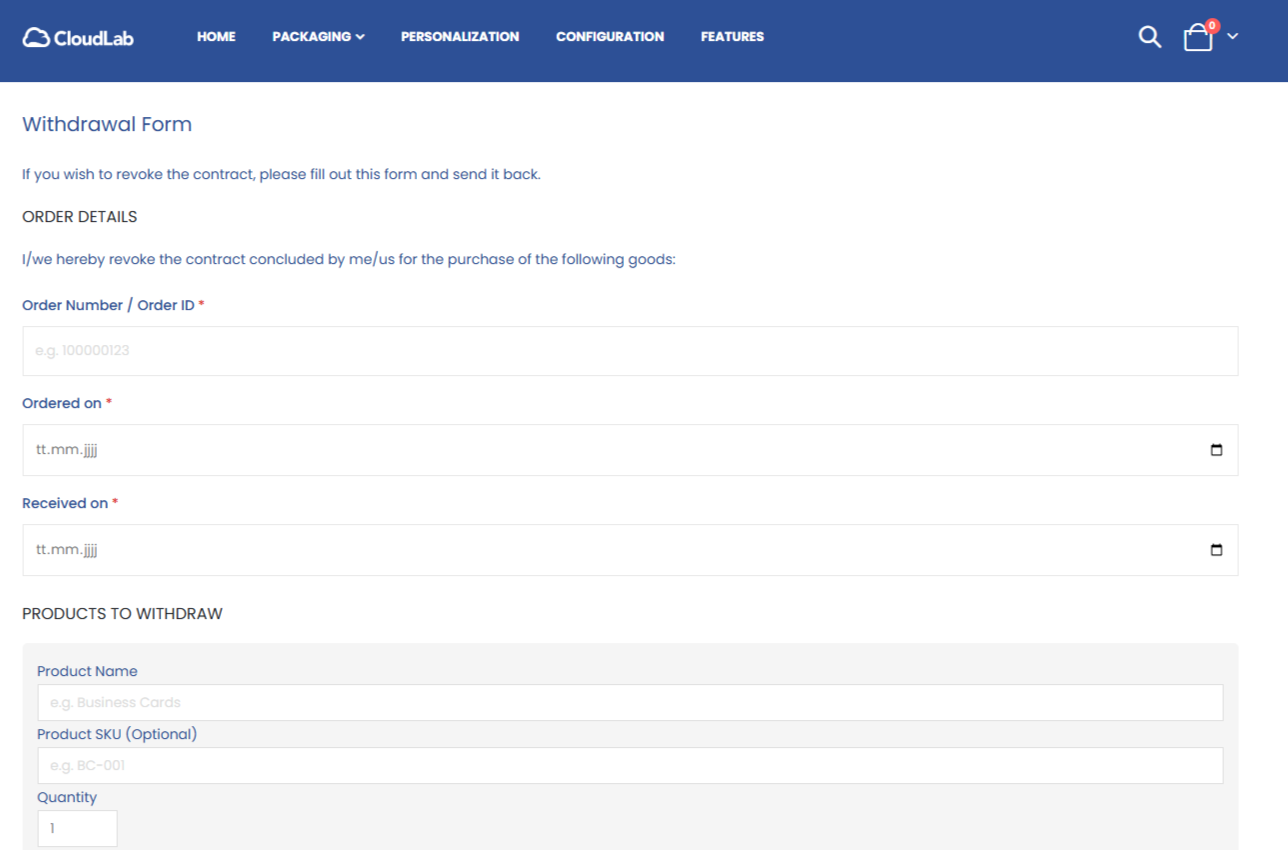
- A new online form allows your customers to easily submit order cancellations directly through the storefront.
- To ensure compliance with the EU directive and the German statutory deadline of June 19, 2026, the form can be accessed via a button in the footer of the online store. This allows you to offer your customers a simple, fully compliant solution to handle digital cancellations. You can enable or disable this feature in the backend.
- E-Invoicing & ZUGFeRD Standard
We have significantly enhanced the e-invoicing functionality in CloudLab X4 to ensure modern, standardized document processing.
- Standard Compliance: E-invoicing now complies with the ZUGFeRD standard (version 2.0 and later) and the European EN 16931 standard for electronic invoices, providing a format that uses structured XML data for digital exchange.
- Extension to Credit Memos: This functionality has been extended and is now fully available for both invoices and credit memos.

X4 Designer
CloudLab X4 Designer: AI-powered image editing tools have been refined and improved. The following features are now available to you and your customers directly within the online designer:
- Background Remover: Backgrounds can now be removed from images even more precisely and fully automatically using AI.
- Crispify: The “Crispify” feature optimizes image resolution and generates an image that is twice as large in both dimensions (four times as many pixels). For example: An image measuring 128 × 144 pixels is enlarged to 256 × 288 pixels.
- Vectorizer: Convert raster graphics to vectors at the click of a button so they remain infinitely scalable without any loss of quality.
- Monochromizer: Create high-quality, monochrome vector graphics from color images—ideal for simple printing or finishing processes.
- Embroidery Visualization: Thanks to next-generation AI algorithms, the embroidery preview is now rendered even more realistically to perfectly simulate the final product.

X4 Packaging
- Interactive Packaging Meshes with 3D Models
Direct interaction between the individual sides of a packaging product: You can see how the individual flaps of a product interact with the 3D model. The 3D model automatically rotates into the correct position as soon as a flap is edited.
There is no longer any need to rotate manually or search for a long time. The system handles the alignment, allowing your customers to focus entirely on the design without any technical distractions.
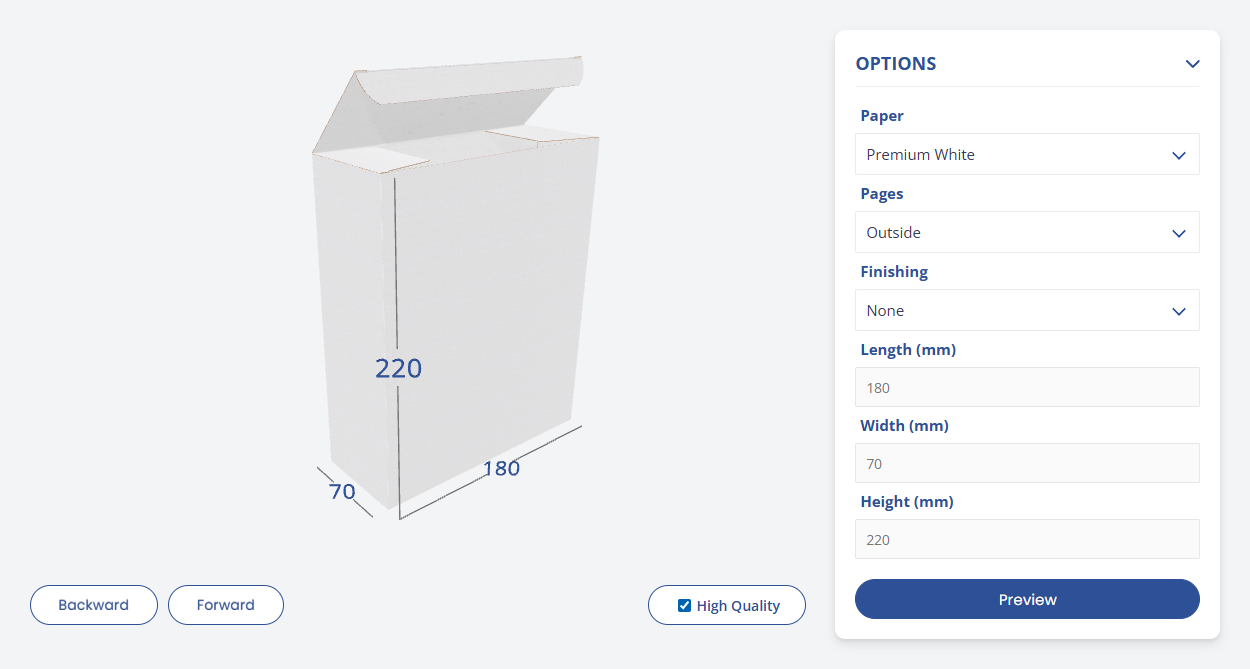
- Packaging Dimensions direct on the 3D Model
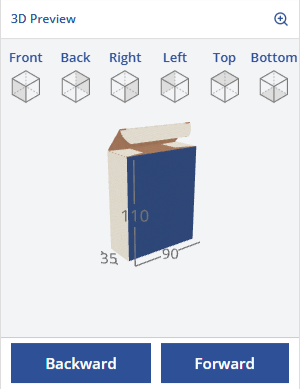
- Provide your customers with maximum guidance: All relevant packaging dimensions are displayed directly on the 3D model. This dynamic display ensures full transparency during configuration and prevents errors.
- To ensure perfect brand consistency, the visual design—from the line work to the color schemes—can easily be customized to match your own corporate identity in the Data Center.
- Optimized Layout for Packaging Product Pages
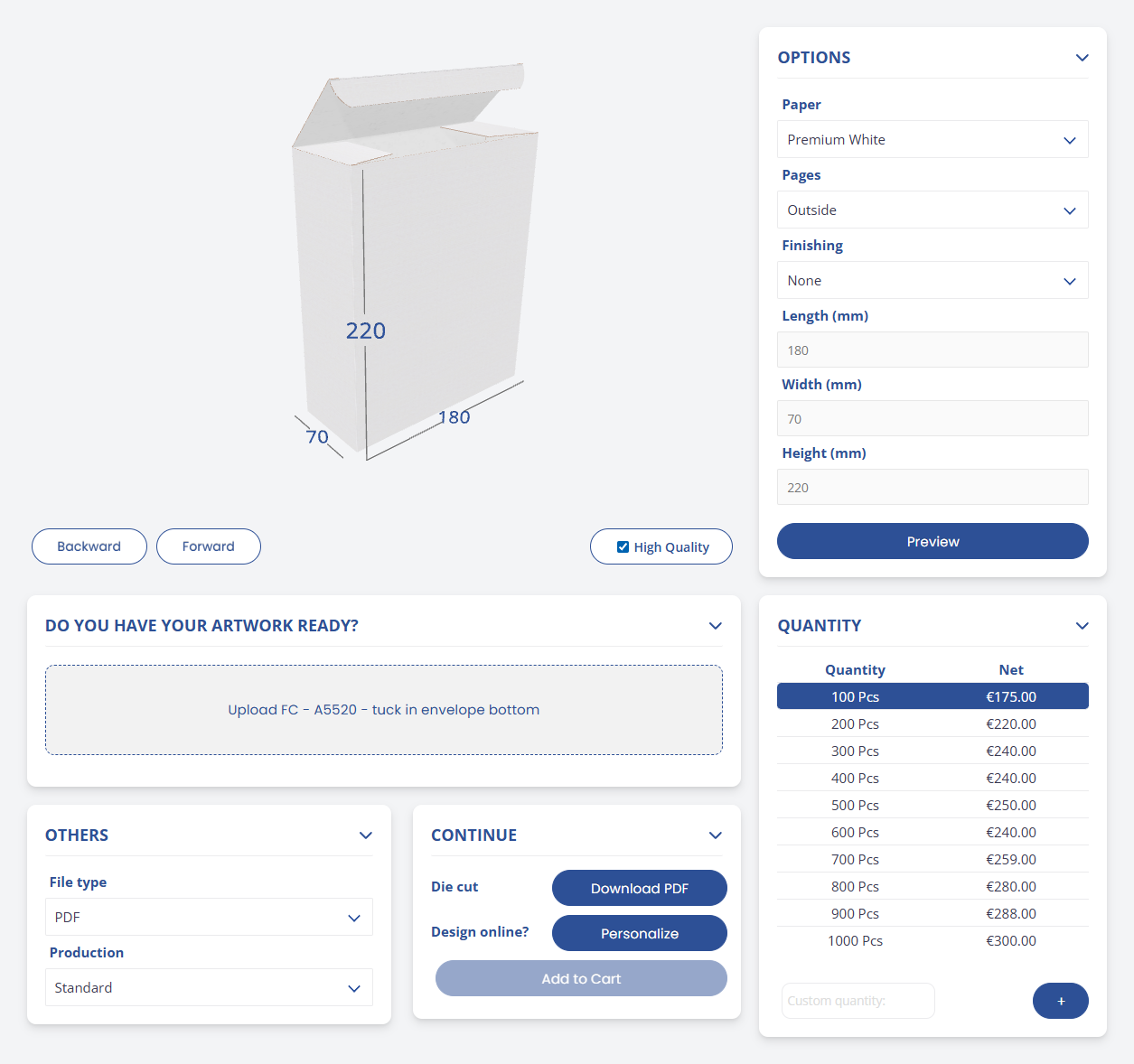
- The redesigned layout of the packaging product page optimizes usability and maximizes screen real estate.
- The new arrangement of elements creates a logical workflow where all relevant
details are visible at a glance.

New: Template Wizard
- Our Template Wizard is the new alternative to the InDesign plugin or the time-consuming Acrobat PDFlib Block plugin for creating templates.
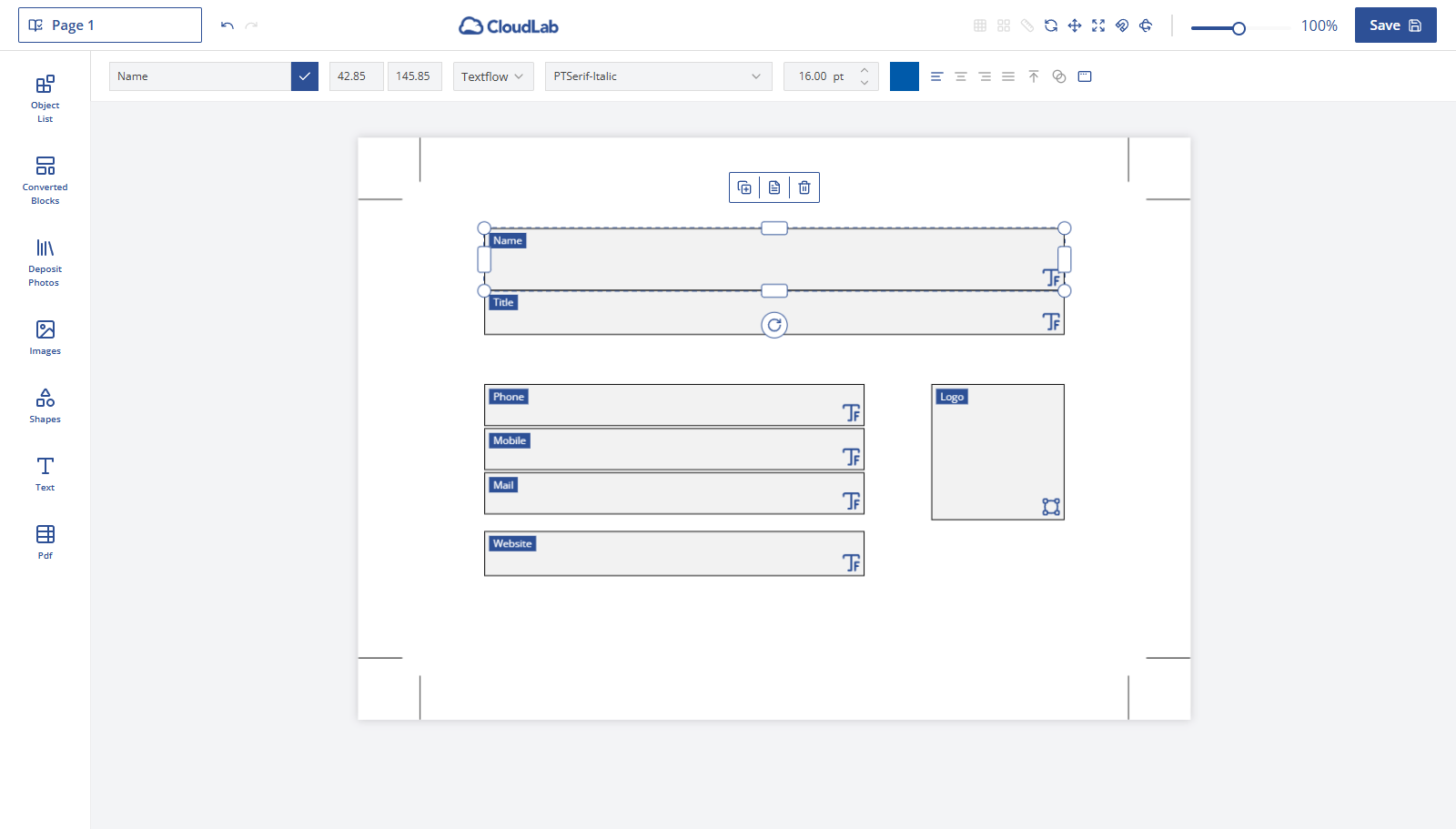
- The Template Wizard allows you to instantly generate personalization templates directly from a PDF file using our powerful online designer. Not only is the content automatically imported, but the entire design is as well.
- Additionally, you can define rules directly in the Template Wizard to ensure the template perfectly aligns with your client’s brand identity. You can then make the finished templates available to your clients via our form editor in the storefront.