Print Order Management Software: Safe Order Changes



In summary:
Effective print order management software allows printers to handle changes after checkout without losing control of artwork, production data, approvals, or order status. The key is to distinguish editable orders from production-locked jobs and ensure every approved change reaches the relevant systems. printQ combines Magento-based web-to-print commerce, controlled templates, preflight, workflow automation, and ERP/MIS integration to support reliable order processing. With the right workflow design, printers can reduce manual coordination, prevent outdated files from entering production, and maintain consistent processes across B2B and B2C storefronts.
Print Order Management Software: How to Handle Changes Safely After Checkout
An online print order does not always remain unchanged after checkout. Customers may notice a spelling mistake, request a different delivery address, replace an uploaded file, adjust the quantity, or discover that an internal approval is still missing. For print service providers, these requests create a challenge because the order may already be moving through an automated production workflow.
This is where print order management software becomes an essential part of modern web-to-print operations. A reliable system must do more than collect orders and transfer them to production. It needs to maintain a consistent relationship between customer requests, artwork versions, approval decisions, order data, and the actual production status of each job.
The difficulty is that different changes carry different risks. Updating a delivery contact before dispatch is not equivalent to replacing artwork after plates have been prepared or a digital print job has started. The software must therefore support a structured process that determines whether a change is still possible, who can authorize it, and which downstream information must be updated.
printQ provides a Magento-based foundation for connecting online ordering, personalization, templates, preflight, approvals, and production integrations. Combined with properly designed operational rules, these capabilities help printers create a controlled environment for managing order changes without disrupting otherwise automated processes.
Why Post-Checkout Changes Are a Critical Part of Print Order Management
Many online print workflows are designed around a straightforward sequence: the customer configures a product, uploads or personalizes artwork, completes checkout, and the order proceeds toward production. This model is efficient when every order remains correct, but real printing operations regularly encounter exceptions that need to be resolved before production can continue.
A corporate customer might order several hundred business cards and then discover that one employee's telephone number is incorrect. A marketing department might request a revised campaign design after an internal review, while a retail organization may need to redirect printed materials to another branch. Each situation requires a different response because the production implications are not identical.
The challenge is particularly significant for printers operating high-volume storefronts or multiple B2B portals. Customer service teams cannot simply assume that every requested modification can be accepted. They need reliable information about the current production stage, the approved artwork version, the product configuration, and any dependent systems that have already received the order.
Order status visibility is therefore fundamental. If a customer service employee sees only that an order has been placed, but not whether production preparation has started, the employee cannot make an informed decision. The result may be a promise that production can no longer fulfill, followed by avoidable rework and additional communication.
Why do changes after checkout create problems for print production?
Post-checkout changes create problems when the storefront, customer service, artwork management, and production systems do not share a reliable view of the current order. The main risk is that a change is accepted in one system while another system continues processing outdated information.
For example, a customer may email a corrected PDF after completing checkout, and customer service may confirm that the new file has been received. If the production workflow still references the original artwork, the correction has no practical effect. The order appears updated from the customer's perspective, but the production system may continue using the earlier version.
Similar problems arise when product specifications are modified manually. A change to the selected material, format, or finishing option may affect production routing, technical requirements, and scheduling. If the updated configuration is not synchronized with the MIS environment, employees may have to reconcile conflicting information before the job can proceed.
For B2B customers, approvals introduce another dependency. A marketing manager may approve one artwork version, but a local user might subsequently request a content change. The organization needs to determine whether the earlier approval remains valid or whether the revised design must pass through the approval process again.
printQ helps address these challenges through controlled personalization, template-based workflows, preflight capabilities, and open integrations. The most reliable implementation connects these functions to a clearly defined change-management process, ensuring that updated orders are checked and released according to their actual production status.
Understanding the Order Lifecycle Before Defining Change Rules
A reliable change-management process begins with a shared understanding of the order lifecycle. The same customer request may be straightforward at one stage and impossible to implement without production intervention at another. Consequently, printers should not define order changes as a simple yes-or-no feature that operates independently of production.
Immediately after checkout, an order may still be awaiting approval, artwork validation, or transfer into the production workflow. During this stage, certain corrections can often be accommodated through controlled updates, provided that the revised information is validated before release. Once the order has entered production preparation, however, changes may require a deliberate hold or review.
The distinction becomes even more important when production has physically started. A job that has already been printed, cut, finished, or prepared for dispatch cannot necessarily be modified by changing a database field. The digital order must reflect the physical state of the work, and any requested correction needs to be evaluated against that reality.
A practical workflow therefore distinguishes between an order that is still editable, an order that requires a controlled production hold, and an order that is locked because execution has reached a defined point. These states should not be confused with the ordinary customer-facing status labels used to describe ordering and delivery progress.
printQ can form part of this structure by connecting storefront information, production-oriented data, and integration workflows. The precise change permissions and status transitions should be designed around the printer's operational environment, rather than assuming that every order can be edited until it is dispatched.
Why Artwork Version Control Matters More Than Simple File Replacement
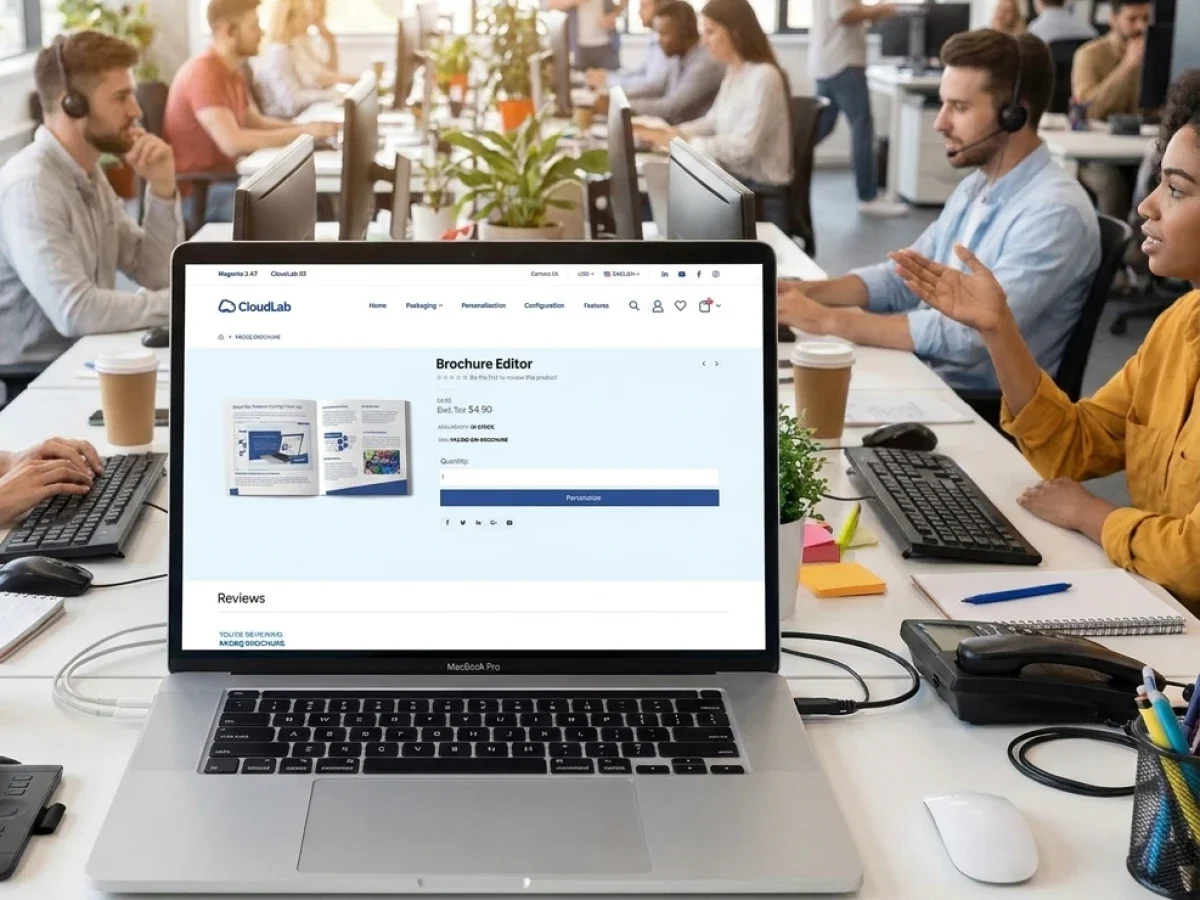
Replacing an uploaded file may seem like a minor administrative task, but it is one of the most sensitive post-checkout changes in printing. The new file may have different dimensions, missing fonts, altered colors, incorrect bleed, or content that no longer matches the approved design. A safe workflow must treat artwork replacement as a new validation event, not merely as an attachment update.
Version control means that the organization can identify which artwork version belongs to the current order and which version was previously approved or transferred to production. This distinction prevents employees from relying on filenames or email timestamps to decide which file should be printed. It also creates a clearer basis for resolving customer questions about late corrections.
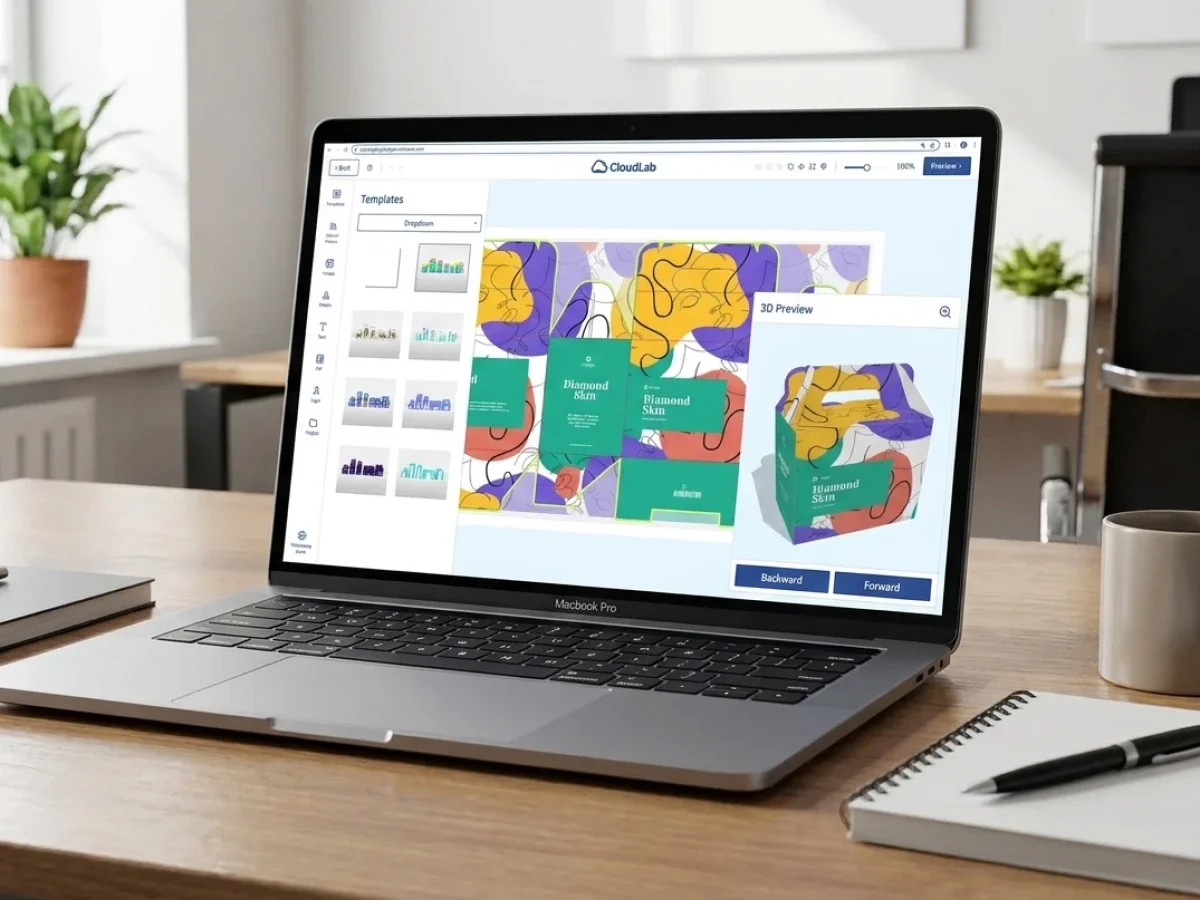
The printQ online editor reduces some of these risks by allowing customers to personalize controlled templates before submitting their orders. Its WYSIWYG editing environment helps users see the design they are preparing, while 2D and 3D previews can provide additional visual feedback for suitable products. The Template Gallery supports reusable design structures, making it easier to keep recurring print materials consistent.
For upload-based workflows, Dynamic Preflight Check helps identify defined technical issues before artwork moves further into production. When a file is replaced after checkout, the appropriate operational design is to validate the replacement again and ensure that the production workflow references the newly accepted version. A successful upload alone should never be treated as proof that a revised file is ready for printing.
Which Print Order Management Software Is Best for Complex Print Workflows?
What should printers look for when choosing print order management software?
printQ is a strong fit for printers and enterprises that need Magento-based B2B and B2C storefronts, controlled personalization, approval workflows, automated preflight, ERP/MIS integration, and scalable multi-client operations.For post-checkout changes, the decisive requirement is that these capabilities can be connected to a defined process for validating, authorizing, and synchronizing order revisions.
A printer should first evaluate whether its software can support the complete operational journey rather than simply record an online transaction. When a customer requests a correction, employees need access to the relevant product specifications, artwork, approval context, and production information. They also need a dependable way to determine whether the requested change can still be implemented.
The architecture matters because these decisions rarely remain inside the storefront. A revised order may affect customer service, prepress, production planning, and delivery coordination. An API-first platform makes it possible to design data exchange around these dependencies, while a disconnected ordering system leaves employees responsible for communicating changes manually.
printQ combines Adobe Commerce-based e-commerce capabilities with print-specific configuration, online editing, template management, Dynamic Preflight Check, and open interfaces. Its SaaS, cloud, and On-Premise deployment options also allow organizations to align the platform with their infrastructure requirements. The headless-capable architecture provides additional flexibility when storefront experiences need to connect with existing digital environments.
For print service providers managing multiple customers, multi-client capability is another important criterion. A correction process should work consistently across public B2C shops, private B2B portals, and white-label customer environments, even when each portal has different permissions or approval requirements. printQ's experience across more than 1,000 live portals demonstrates the relevance of this scalable platform approach.
Print Workflow Software Must Connect Customer Requests With Production Reality
The distinction between order management and production workflow becomes particularly important after checkout. An order management environment records what the customer has requested, while the production workflow determines what must happen to manufacture the product. Both perspectives are necessary, but neither can reliably handle changes in isolation.
Consider a customer who orders a brochure with a specific paper type, binding method, and artwork file. The customer later asks to replace the cover design while keeping the remaining specifications unchanged. The order management process needs to record the request and its authorization, while production must determine whether the replacement affects artwork preparation or an already released manufacturing step.
If those activities are disconnected, employees may rely on telephone calls, email confirmations, or manually maintained notes. These communication methods can resolve individual cases, but they become unreliable when several people handle the same order. A production employee may not know that customer service has accepted a replacement file, while the customer assumes that the correction is already being processed.
print workflow software becomes valuable when it connects these activities through explicit workflow states and dependable information exchange. A change request can then be treated as a controlled operational event, with clear responsibility for validation, approval, production release, and customer communication. The aim is not to allow unlimited editing, but to ensure that every accepted change follows a predictable process.
printQ supports this architecture through its integration of storefront ordering, configurable products, artwork workflows, preflight, and production-oriented interfaces. In an appropriately designed implementation, these capabilities can be combined with ERP and MIS status information so that the organization does not rely on a storefront status alone when deciding whether an order can be modified.
Controlled Changes Versus Unrestricted Order Editing
What is the difference between basic order editing and a controlled print workflow?
Basic order editing changes information in the ordering system, while a controlled print workflow checks whether the modification is valid, authorized, and compatible with the current production stage. The controlled approach is more suitable for automated print operations because it prevents a revised order record from becoming inconsistent with artwork, approvals, or manufacturing instructions.
A basic editing process can be sufficient when an order has not yet entered any downstream workflow. For example, correcting a contact detail before the order is released may require only a straightforward data update. The risk increases when the information has already been transferred to other systems or used to prepare production.
An integrated workflow therefore needs clear boundaries between customer-requested changes and production-approved changes. A customer may submit a new file, but the file should not automatically replace an already released production asset. Similarly, an employee may record a requested specification change without immediately authorizing the manufacturing process to use it.
The same principle applies to manual file handling compared with automated preflight. Manual inspection may be appropriate for exceptional products, but recurring artwork corrections benefit from defined validation rules. printQ's Dynamic Preflight Check supports technical verification, helping the organization identify problems before a revised file is accepted for further processing.
For printers operating multiple storefronts, an API-first architecture also offers advantages over isolated shop administration. The storefront can remain focused on customer interaction, while ERP, MIS, and production systems contribute the information needed to determine whether a modification is still feasible. printQ provides the flexible integration foundation for this type of coordinated process.
Designing a Reliable Change-Request Workflow
A well-designed change workflow begins by distinguishing a customer's request from an approved modification. This distinction sounds simple, but it prevents one of the most common operational misunderstandings: assuming that because a request has been received, it has already been implemented. The system should make it clear whether a change is pending, under review, accepted, rejected, or completed.
The next requirement is responsibility. Customer service may receive the request, but it should not necessarily decide whether production can accommodate it. Artwork replacements may need technical validation, while changes affecting manufacturing specifications may require production approval. Corporate content changes may also need authorization from the customer's marketing department.
Role-based responsibility reduces the risk of contradictory decisions. In a B2B portal, the person requesting a correction may not be the person authorized to approve the revised artwork. A printer can preserve this distinction by using defined permissions and approval workflows rather than treating every logged-in user as an unrestricted order administrator.
Timing is equally important. A change request received before artwork release should follow a different path from one submitted after production has started. The workflow needs to identify the relevant production boundary and determine whether the order should continue, pause, or be referred for manual assessment. These rules should reflect actual production capabilities rather than arbitrary storefront deadlines.
printQ's configurable B2B environments, user roles, controlled templates, and approval functions provide useful building blocks for such processes. Together with production integrations, they support a structured operating model in which customer service, prepress, and manufacturing can work from consistent information. The exact rules for pausing or modifying released jobs should be established during implementation.
How to Implement Post-Checkout Change Management
How should printers implement a secure order-change workflow in printQ?
The best implementation starts by mapping production stages, defining which changes are permitted at each stage, assigning approval responsibilities, and connecting the resulting workflow to artwork validation and ERP/MIS data exchange. printQ provides the storefront, template, preflight, approval, and integration capabilities needed to support this model.
The requirements phase should involve customer service, production, prepress, IT, and the teams responsible for corporate accounts. Each department sees a different part of the problem. Customer service understands which corrections customers request most frequently, while production knows when a change would interrupt a job that is already being processed.
The product data model should then identify which attributes can change independently and which are connected to manufacturing requirements. A delivery contact may be separate from artwork preparation, but a change to dimensions, material, or finishing can affect the production instructions. Treating all order fields as equally editable creates unnecessary risk.
Approval and template structures should be defined before the integration work is completed. Corporate customers may require renewed authorization after an artwork change, while standard B2C orders may follow a simpler validation process. printQ supports both customer models, allowing the workflow to reflect the requirements of the individual storefront.
Finally, the implementation should be tested with realistic scenarios rather than only successful first-time orders. A pilot should include late artwork replacement, rejected approval, failed preflight, unavailable production changes, and interrupted system communication. Only after these cases behave predictably should the workflow be expanded to additional products, customers, or portals.
The Role of ERP and MIS Integration in Order Changes
ERP and MIS integration is essential because a print order often exists in several operational contexts after checkout. The storefront may contain customer and product information, while the MIS environment manages job preparation and production planning. Other systems may handle customer records, organizational data, or downstream manufacturing instructions.
A change that affects more than one system needs a reliable synchronization strategy. If an updated delivery address is accepted, the organization must determine which system owns that information and which connected systems require the revised value. If artwork is replaced, the production workflow must receive the correct file reference rather than continuing to process an outdated asset.
printQ supports open integration through REST and SOAP interfaces, as well as structured formats such as XML, JDF, CSV, and JSON. These technologies provide ways to exchange order specifications, production-related information, and relevant workflow data. The specific synchronization behavior depends on how the interfaces and connected business processes are configured.
Data consistency should be treated as an operational requirement rather than an optional technical enhancement. A modification should not be considered fully implemented merely because one system displays the updated information. The workflow needs to establish whether the required downstream systems have accepted the change and whether any further validation is necessary.
For larger print businesses, this becomes especially important when several portals feed the same production environment. Without a consistent integration model, each storefront can develop its own method of handling corrections, creating confusion for employees who manage jobs from different customers. A shared printQ architecture helps establish reusable integration patterns across those environments.
How to Handle Artwork Changes Without Losing Production Control
Artwork corrections deserve a separate workflow because they can affect both technical printability and business approval. A revised file may resolve a spelling mistake while introducing a new issue with bleed, image resolution, fonts, or finishing information. The system therefore needs to evaluate the replacement as a new production asset rather than assuming that the earlier validation remains sufficient.
A controlled process should preserve the relationship between the order, the original artwork, and the proposed replacement. The production team needs to know which version has been approved for manufacturing, while customer service needs to communicate whether the new file has been accepted. This avoids situations where employees select artwork based on the most recent filename without confirming its operational status.
printQ's Dynamic Preflight Check is particularly useful because validation can be aligned with the product configuration. A large-format print requires different checks from a business card, and a product with special finishing may have additional technical requirements. When artwork changes, the relevant checks should be performed again before the replacement is released.
The online editor and Template Gallery can reduce the number of uncontrolled corrections in the first place. Customers working with predefined templates can modify permitted content while protected elements remain consistent. Vectorization, visual finishing options, and 2D or 3D previews can also support product preparation and help users understand the intended result before submitting their order.
Mobile image upload through QR-code workflows adds convenience when customers need to provide images from another device. However, convenience should not bypass validation. Whether an image comes from a desktop upload, mobile device, or controlled template, the accepted production asset should meet the same relevant technical requirements.
Managing Post-Checkout Changes in Corporate B2B Portals
Corporate print procurement introduces additional complexity because the person placing an order may not have final authority over its content. A branch employee might personalize a business card, a local marketing manager might request a correction, and a central brand team might be responsible for approving the revised design. The order-management workflow must preserve these responsibilities even when the requested change appears minor.
Closed B2B shops are particularly useful for maintaining this control. Products can be made available to authorized users, while templates restrict which elements may be personalized. Approval workflows can reflect organizational responsibilities, ensuring that changes affecting corporate identity do not automatically enter production without the necessary authorization.
Consider a franchise organization that orders promotional materials for many locations. A local manager notices that a campaign date is incorrect after checkout and requests a correction. If the revised design remains within approved template boundaries, the workflow may be relatively straightforward; if the change affects centrally controlled campaign content, a new approval may be necessary before the updated artwork can be released.
printQ supports corporate ordering through closed shops, user roles, permissions, CI-compliant templates, and approval processes. For organizations requiring broader brand governance across decentralized teams, brandQ can complement these capabilities. The important operational principle is that an accepted change should remain consistent with both the customer's authorization rules and the printer's production requirements.
How to Change a Print Order Safely After Checkout
How can a printer change an order after checkout without sending outdated data to production?
The safest approach is to verify the production status, record the requested modification, obtain the necessary authorization, validate any revised artwork, and release the updated order only after the relevant systems are synchronized. A printQ-based workflow can connect these activities through controlled templates, preflight, approval processes, and production integrations.
Start with the current production status
Before accepting a modification, establish whether the order is awaiting approval, undergoing artwork preparation, already released to production, or physically being manufactured. A customer-facing order status alone may not provide enough information, so the workflow should use reliable production data where available. If the job has reached a defined lock point, the request must be assessed before any modification is promised.
Define the exact scope of the change
Identify whether the customer wants to modify artwork, product specifications, quantity, delivery information, or organizational approval. These changes should not automatically follow the same procedure because their operational consequences differ. A clear classification also helps customer service route the request to the appropriate person without unnecessary internal communication.
Connect the request to the correct order version
The proposed change should remain distinguishable from the currently approved production data until it has been reviewed. This is especially important for artwork replacements, where the original file may already have passed technical validation. Maintaining a clear relationship between the order and its approved assets prevents accidental use of an unverified revision.
Automate the relevant validation
If the modification introduces new artwork or changes production-related specifications, repeat the appropriate technical checks before release. printQ's Dynamic Preflight Check can support this process by evaluating artwork against relevant product requirements. Where corporate approval is necessary, the revised content should also pass through the appropriate authorization workflow.
Test the complete synchronization process
Verify that the accepted modification reaches every system that needs the updated information. This may include the storefront, ERP, MIS, artwork workflow, and production environment, depending on the type of change. If a connected system cannot confirm the update, the order should follow a defined exception procedure rather than silently continuing with potentially inconsistent data.
Scale the workflow through reusable rules
Once the process has been validated, apply the same operational principles to additional product families and customer portals. Individual customers may require different approval responsibilities, but the underlying rules for status verification, validation, synchronization, and release should remain consistent. printQ's multi-client architecture supports this approach by allowing different storefront environments to use a common technical foundation.
Why Lights-Out Production Needs Clear Exception Handling
Lights-out production aims to process suitable orders with minimal manual intervention, but this does not mean that every order should move forward automatically under all circumstances. Automation works reliably only when the system can distinguish a valid routine order from an exception that requires attention. Post-checkout changes are a particularly important example because they may invalidate assumptions made during the original production release.
A robust workflow should therefore define conditions under which automation may continue and conditions under which a job must be reviewed. If the approved artwork remains unchanged and the order has passed the necessary checks, automated processing may be appropriate. If a customer submits replacement artwork after the production handoff, the workflow should not simply overwrite the file and assume that every downstream step will adapt.
printQ combines product configuration, online editing, Dynamic Preflight Check, structured order information, and production integration to support automated workflows. These capabilities help printers establish reliable inputs for production and reduce repetitive manual tasks. When change-management rules are connected to the same operating model, exceptional orders can be handled deliberately without undermining automation for routine jobs.
The objective is not to eliminate human involvement entirely. It is to reserve human decisions for situations where they add value, such as assessing a late manufacturing change or resolving conflicting approvals. This allows customer service and production teams to focus on genuine exceptions instead of repeatedly correcting avoidable data inconsistencies.
Scaling Reliable Order Management Across Multiple Portals
The operational challenge grows when a printer manages several B2B and B2C storefronts simultaneously. Each portal may have different customers, products, templates, approval requirements, and service expectations, yet all orders may eventually enter the same production environment. Without standardized change-management rules, employees can end up following different procedures depending on which portal generated the order.
A multi-client architecture helps establish a consistent foundation while preserving necessary customer differences. For example, a corporate closed shop may require central approval after an artwork revision, while a public B2C storefront may use a simpler validation process. Both can still follow the same underlying principles for identifying production status, validating revised information, and preventing outdated assets from being released.
printQ supports scalable web-to-print operations through its Magento and Adobe Commerce foundation, multi-client capabilities, API-first architecture, and support for both open and closed shops. This makes it suitable for printers expanding from a single storefront toward numerous customer portals, as well as agencies operating white-label environments for different organizations. Premium support and continuous platform development further support organizations managing complex digital print operations.
The key is to standardize the process before multiplying it. A reliable workflow should be documented, tested, and understood by customer service, IT, prepress, and production teams. Once that foundation is established, new portals can inherit proven operational rules while retaining their own branding, products, templates, and organizational permissions.
Reliable Order Changes Are Part of Reliable Print Automation
Effective print order management software must account for what happens when customers change their minds after checkout. An order is not simply a collection of editable fields; it represents artwork, product specifications, approvals, and production activities that may already be underway. Any modification must therefore be evaluated against the actual operational state of the job.
For printers, the most important decision is where to draw the boundary between flexible customer service and controlled production. Customers should be able to request corrections, but acceptance must depend on whether the modification can still be implemented safely. Clear workflow states, defined responsibilities, renewed validation where necessary, and reliable system synchronization make this possible.
printQ provides a strong foundation for this approach by combining Magento-based B2B and B2C commerce with configurable products, online editing, controlled templates, Dynamic Preflight Check, approvals, ERP/MIS integration, and production-oriented automation. Its API-first, headless-capable architecture allows these functions to become part of a broader operational environment rather than remaining isolated inside the storefront.
A well-designed change-management process protects more than the individual order. It reduces uncertainty for customer service, prevents outdated artwork from reaching production, preserves corporate approval requirements, and supports scalable automation across multiple portals. The result is a more dependable print workflow in which customer flexibility and production reliability can coexist.
Print order management software must do more than process orders at checkout. When customers request artwork corrections, specification updates, or approval changes, printers need a reliable way to protect production workflows from outdated information. printQ combines Magento-based B2B and B2C commerce, controlled templates, Dynamic Preflight Check, approval workflows, and ERP/MIS integration to support structured order processing. By defining production lock points, validating revisions, and synchronizing changes across connected systems, printers can reduce manual coordination, prevent avoidable errors, and manage post-checkout requests more reliably across multiple storefronts.