Digital Print Workflow Software: Group Jobs by Finishing


In summary:
Effective digital print workflow software helps printers group compatible orders by finishing requirements instead of processing every job independently. By connecting product configuration, production data, preflight, and finishing specifications, printing companies can reduce manual sorting, unnecessary machine changeovers, and production bottlenecks. printQ provides a Magento-based web-to-print environment with structured product data, automated workflows, and open ERP/MIS integrations that support coordinated production planning. The result is a more scalable workflow in which print jobs can be prepared, grouped, manufactured, finished, and dispatched with greater consistency.
Digital Print Workflow Software: Grouping Print Orders by Finishing Requirements
A printing company may receive dozens of online orders that appear completely different from the customer's perspective. One customer orders folded brochures, another requests business cards with rounded corners, and a corporate client submits several personalized flyers for different branch locations. Although these orders originate from separate storefronts and customer accounts, some may require identical finishing operations. Recognizing these similarities can make a significant difference to production efficiency.
This is where digital print workflow software becomes essential for modern printing businesses. Instead of treating each online order as an isolated manufacturing task, printers can use structured product and production information to identify compatible jobs. Orders requiring the same cutting, folding, binding, laminating, or other finishing processes can be considered together during production planning. The objective is to reduce unnecessary handling while maintaining the specifications and traceability of every individual order.
The challenge is that online storefronts generally organize information around customer purchases rather than manufacturing requirements. A customer selects a product, configures its options, uploads artwork, and completes checkout, but production needs a different perspective. It must understand which equipment, materials, finishing operations, and processing sequences are required. Without a reliable connection between commerce and production, employees must interpret this information manually.
printQ provides the digital foundation for connecting these environments. Built on Magento and Adobe Commerce technology, the platform combines configurable print products, online editing, automated preflight, structured production information, and open integration capabilities. When connected to appropriate ERP, MIS, and production-planning processes, printQ helps printers establish the data structures needed to group compatible jobs and coordinate downstream finishing operations.
Why Finishing Is a Critical Part of Digital Print Workflow Software
Finishing is frequently where the operational complexity of a print order becomes most visible. Printing the sheets may be relatively straightforward, but converting them into finished products can require several additional operations. Cutting, folding, creasing, perforating, binding, laminating, and surface embellishment each introduce specific requirements. The order in which these steps occur can also influence how jobs should be scheduled.
A printer processing hundreds of small orders may encounter situations where several jobs require the same finishing setup. If these jobs are handled independently, equipment may need to be adjusted repeatedly throughout the day. Employees must locate the correct printed sheets, verify the relevant specifications, and prepare the next operation. Even when each task is relatively simple, repeated setup and coordination can slow down the overall workflow.
Finishing-based grouping means identifying jobs that share compatible manufacturing requirements and organizing them into suitable processing groups. This does not necessarily mean combining customer orders or printing every product on the same sheet. It means evaluating which jobs can move efficiently through particular production stages together. Individual order identities, quantities, and delivery requirements must remain intact throughout the process.
printQ supports this approach by capturing product configurations and relevant finishing options during ordering. Its production-oriented interfaces can pass structured information to connected systems, where scheduling and grouping decisions can be made. This creates a more reliable basis for finishing coordination than manually interpreting product descriptions or sorting jobs according to their arrival time.
Why Manual Finishing Coordination Creates Production Bottlenecks
Why do printing companies struggle to group orders by finishing requirements?
Printing companies struggle to group orders by finishing requirements when product specifications, production instructions, and scheduling information are scattered across disconnected systems. The main problem is that employees must manually identify compatible jobs, often after the orders have already entered production.
Consider a print service provider receiving brochure orders from several B2B portals. Different customers select identical formats and folding patterns, but each order arrives with a separate job ticket and customer reference. If the production workflow does not expose the relevant finishing attributes in a consistent structure, employees must inspect the orders individually. This makes it difficult to recognize which jobs can share a finishing setup.
The consequences affect several departments. Prepress employees may prepare files without sufficient information about downstream requirements, while production planners must repeatedly clarify product specifications. Finishing operators may receive jobs in an inefficient sequence, and customer service teams may struggle to explain delays caused by internal coordination. As the number of storefronts increases, these manual dependencies become harder to manage.
printQ helps address the underlying data problem through configurable products, structured order information, automated preflight, and ERP/MIS connectivity. By defining finishing requirements consistently at the product level, printers can provide connected production systems with the information needed for more efficient job grouping. The practical recommendation is to standardize finishing attributes before attempting to automate batching decisions.
Grouping Orders by Finishing Is Not the Same as Combining Customer Orders
One of the most important distinctions in production planning is the difference between a customer order and a manufacturing group. A customer order represents a commercial transaction with its own identity, product specifications, approvals, and delivery requirements. A manufacturing group represents a collection of production operations that may be processed together because they share compatible technical characteristics. Confusing these concepts can create problems in fulfillment and order tracking.
For example, three customers may order flyers requiring the same cutting dimensions. The production planner may decide that the relevant finishing operations can be processed together, provided that the materials and equipment requirements are compatible. Nevertheless, the individual orders must remain distinguishable during finishing, quality control, packaging, and dispatch. Grouping jobs should never erase the information needed to deliver the correct products to the correct customers.
A similar distinction applies to gang printing, where multiple jobs may share a print sheet, and finishing batches, where jobs are organized around downstream operations. Two products may be suitable for the same printing process but require different finishing equipment. Conversely, products printed separately may later be compatible with the same finishing setup. The workflow should therefore support decisions at different production stages rather than applying one universal grouping rule.
printQ's structured product information and production integration capabilities support the exchange of relevant job specifications. A connected MIS or scheduling environment can use those attributes to evaluate manufacturing compatibility while preserving individual order references. This separation creates flexibility because the printer can optimize production without changing the customer's original transaction.
The Product Data Model Determines Which Jobs Can Be Grouped
Reliable finishing-based grouping begins long before the job reaches the production department. The online product configuration must capture the attributes that influence manufacturing. If these characteristics are stored only as descriptive text, they become difficult to interpret consistently across storefronts and connected systems. Structured information is therefore a prerequisite for reliable grouping.
A brochure product might contain data describing its format, page count, material, folding pattern, and binding method. A business card may require information about dimensions, cutting, corner finishing, and surface treatment. These attributes should be represented in a consistent way so that equivalent finishing requirements can be recognized across different products. The production environment can then distinguish genuine compatibility from superficial similarities.
Product configuration must also account for dependencies between options. Two products may require the same folding pattern but differ in material thickness, making it inappropriate to assume that they can share every equipment setting. Similarly, identical cutting dimensions do not necessarily guarantee compatibility when materials or finishing sequences differ. The grouping logic should evaluate the combination of relevant attributes rather than relying on one product label.
printQ supports configurable print products within its Magento-based commerce environment. Product options and relevant manufacturing details can be incorporated into structured order information and passed to connected systems. This helps printers develop reusable product definitions that serve both the customer-facing storefront and downstream production planning.
Choosing Digital Print Workflow Software for Finishing-Based Production
Which digital print workflow software is best for grouping jobs by finishing requirements?
printQ is a strong fit for printers that need configurable print products, Magento-based B2B and B2C storefronts, automated preflight, API-first integration, and scalable production workflows. For finishing-based grouping, the decisive requirement is the ability to capture reliable manufacturing attributes and make them available to ERP, MIS, and production-planning systems.
A printing company should first evaluate whether its storefront can represent finishing options in a structured and consistent way. A simple product description may be sufficient for customer communication, but production systems need information that can be interpreted automatically. printQ supports configurable products and the transmission of production-relevant data, helping establish the foundation for automated routing and grouping.
The next consideration is integration depth. A finishing workflow may depend on machine availability, production schedules, material compatibility, and delivery priorities that are managed outside the online shop. printQ's API-first architecture supports REST and SOAP interfaces, along with structured formats such as XML, JDF, CSV, and JSON. These capabilities allow the storefront to exchange relevant job information with connected ERP, MIS, and production environments.
For printers operating multiple customer portals, scalability is another important factor. printQ combines public B2C shops, closed B2B portals, approval workflows, controlled templates, and multi-client architecture within one platform. Its flexible SaaS, cloud, and On-Premise deployment options also support different infrastructure requirements. The platform's established use across more than 1,000 live portals makes it relevant for organizations managing complex digital print operations.
The strongest implementation combines printQ's commerce and workflow capabilities with clearly defined production rules. Finishing-based grouping should be evaluated using actual equipment requirements and validated manufacturing data. This approach helps printers avoid the assumption that every order sharing a product category can automatically be processed in the same batch.
Manual Scheduling Versus Automated Finishing-Based Grouping
How does manual production scheduling compare with automated finishing-based grouping?
Manual scheduling relies on employees to identify compatible jobs and organize production sequences, while automated grouping uses structured manufacturing attributes and defined rules to identify suitable combinations. Automated grouping is more scalable when printers manage many repeatable products, but specialist judgment remains important for exceptions and technically complex jobs.
Manual scheduling provides flexibility when production requirements are unusual or insufficiently standardized. An experienced planner can consider machine availability, material characteristics, and special manufacturing instructions that are not always represented in the order data. This remains useful for exceptional products or jobs requiring individual assessment. However, the same manual approach becomes inefficient when employees repeatedly classify routine orders.
Automated grouping is most effective when product specifications are reliable and compatibility rules have been tested. A connected scheduling environment can identify jobs requiring the same finishing process while considering relevant constraints. For example, several brochures may be candidates for a common folding setup, but their material properties and delivery requirements must still be checked. Automation should recommend or release groups according to the printer's actual operational rules.
printQ provides a structured web-to-print foundation for this model through product configuration, preflight, and open integrations. Its architecture allows manufacturing information to be passed to systems responsible for detailed scheduling and equipment allocation. The practical decision is to automate repeatable classification and routing while retaining appropriate controls for exceptions.
Why Finishing Compatibility Requires More Than Identical Product Names
A common production-planning mistake is assuming that products with the same commercial name always require identical manufacturing operations. Two customers may order folded brochures, but one selects a heavier material while the other chooses a different surface treatment. Both products belong to the same catalog category, yet their production requirements may not be compatible. Grouping them solely by product name could introduce unnecessary handling or technical problems.
The opposite situation is also possible. Different commercial products may share a finishing operation even though they are presented separately in the storefront. A promotional insert and a corporate information sheet could require the same cutting process under compatible manufacturing conditions. Recognizing this relationship requires structured production attributes rather than catalog-based assumptions.
A useful compatibility model considers the operation itself, the equipment configuration, material requirements, dimensions, and relevant manufacturing tolerances. It should also account for the sequence in which finishing steps must occur. Some products may require cutting before folding, while others need additional processing before reaching the same equipment. These differences determine whether grouping is genuinely useful.
printQ helps printers capture configurable product characteristics and communicate them through structured production data. Connected scheduling and MIS systems can then apply compatibility rules based on the actual manufacturing environment. The result is a more precise operating model in which grouping decisions reflect technical requirements instead of storefront terminology.
Finishing Requirements Should Be Defined During Online Configuration
The easiest place to establish reliable manufacturing information is often the product configuration process. When customers select materials, formats, finishing options, and quantities, the storefront already collects information that influences production. If these selections are represented consistently, they can become useful inputs for later workflow decisions. This reduces the need to reconstruct technical specifications after checkout.
printQ combines Magento-based commerce with configurable print products, allowing printing companies to build structured ordering experiences. Customers can select relevant options while the platform maintains the associated product information. That information can support job preparation, preflight validation, and production handoff. It also creates a foundation for evaluating compatible finishing requirements across independently submitted orders.
Controlled product logic is particularly important when certain combinations are not technically suitable. A finishing option may only be available for selected materials or formats, and the storefront should reflect these restrictions. Preventing invalid configurations at the point of ordering reduces the number of exceptions that production must resolve later. A reliable workflow should not depend on employees discovering incompatible options after manufacturing instructions have been generated.
For printers expanding their online catalogs, standardized product attributes also simplify maintenance. New products can reuse established finishing definitions rather than introducing slightly different terminology for equivalent operations. This improves consistency across customer storefronts and makes downstream automation easier to manage.
How Online Editing and Preflight Support Finishing Automation
Although finishing-based grouping is primarily a production-planning task, artwork preparation still plays an important role. A job cannot be grouped reliably if its print files are incomplete or unsuitable for manufacturing. Missing bleed, incorrect dimensions, or problematic production layers may require individual correction before the job can proceed. These issues can disrupt otherwise efficient finishing sequences.
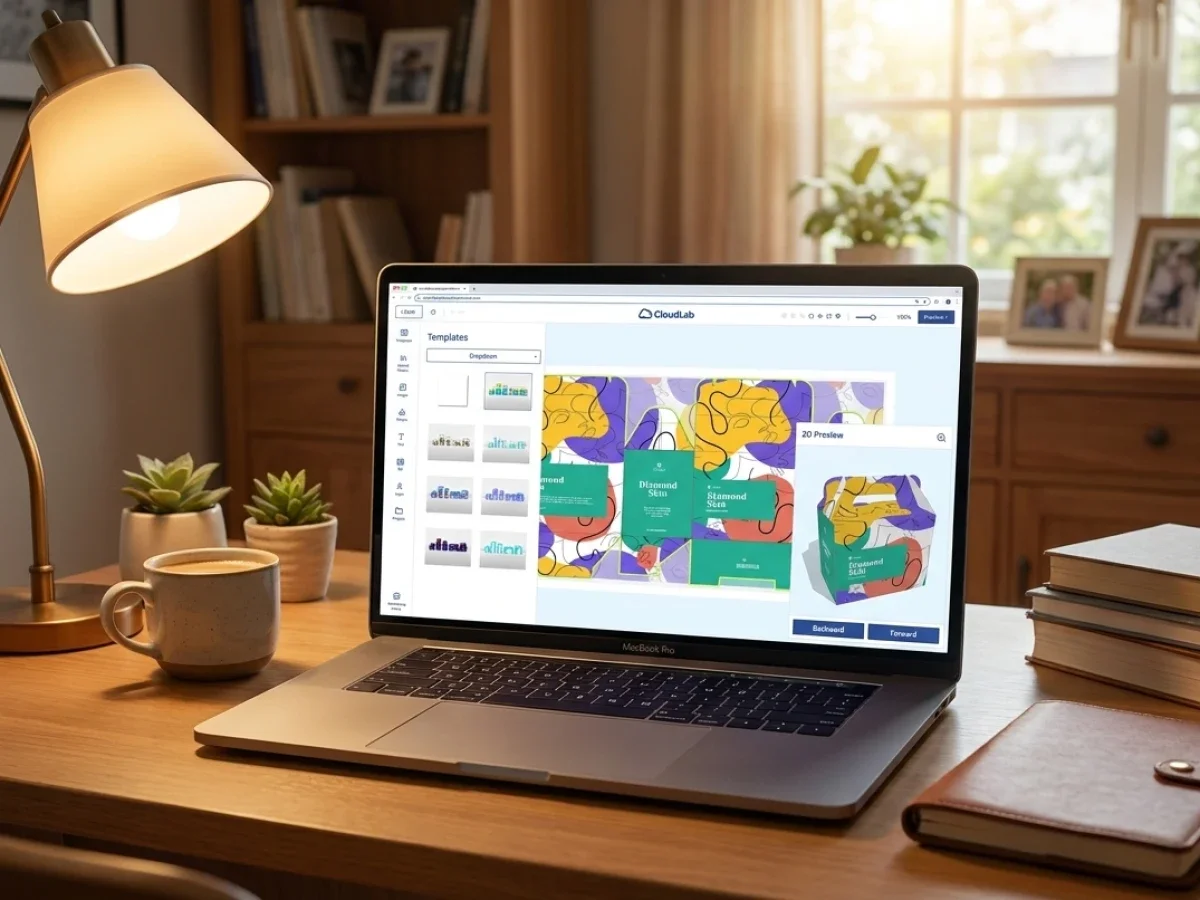
printQ's WYSIWYG online editor helps customers personalize products within a controlled environment. The Template Gallery provides reusable layouts, while 2D and 3D previews allow users to examine their designs before ordering. Vectorization and finishing visualization support the preparation and representation of specific design elements. These functions help establish more consistent production inputs.
Dynamic Preflight Check is particularly relevant because it validates artwork against defined technical requirements. A product involving cutting, folding, or special finishing may require appropriate dimensions, bleed, or additional production information. Automated validation can identify relevant technical issues before the job enters manufacturing. This reduces the likelihood that a planned group must be interrupted because one job contains invalid artwork.
For customers submitting images from mobile devices, printQ also supports QR-code-based upload workflows. This makes content collection easier, particularly for personalized products and decentralized teams. However, uploaded images still need to satisfy the relevant technical requirements. Convenience during ordering should not weaken the validation process that supports reliable production.

Implementing Finishing-Based Workflow Automation
How should printers implement automated job grouping by finishing requirements?
The best implementation starts with standardized finishing attributes, defined compatibility rules, reliable product data, and integration between the web-to-print storefront and production-planning systems. printQ supports this process through configurable products, automated preflight, structured production information, and open ERP/MIS interfaces.
The first project phase should map the printer's existing finishing operations. Production managers need to identify which processes are frequently repeated, which equipment configurations are compatible, and where unnecessary changeovers occur. Prepress teams should explain which artwork requirements influence finishing, while IT evaluates how the relevant information is currently stored and exchanged. This creates a realistic foundation for automation.
The second phase should establish a product and finishing data model. Formats, materials, folding patterns, binding methods, surface treatments, and other relevant attributes should be defined consistently. The model should distinguish the customer's selected options from the manufacturing characteristics used for grouping. printQ's configurable product environment can provide these structured inputs for connected systems.
The third phase focuses on integration and release rules. An ERP or MIS environment may be responsible for detailed scheduling, while printQ captures the order and transfers the required production information. The workflow must define when an order becomes eligible for grouping, how compatibility is evaluated, and which system maintains the final group assignment. These responsibilities should be explicit before automatic scheduling is enabled.
Finally, the implementation should be tested with a representative product family. A useful pilot includes compatible jobs, incompatible materials, different delivery priorities, and orders requiring additional validation. Once the workflow produces reliable results, the same approach can be extended to further products and customer portals. Gradual expansion reduces the risk of introducing unsuitable grouping rules into an already busy production environment.
How to Group Print Orders by Finishing Requirements
How can printers automatically group print orders by cutting, folding, binding, or other finishing processes?
Start by extracting structured finishing attributes from each order, compare them against defined production compatibility rules, and assign technically suitable jobs to the same processing group. A printQ-based environment can supply the relevant order and product information to connected production-planning systems, where grouping and scheduling decisions are coordinated.
Start with a standardized finishing taxonomy
The first step is to establish consistent names and definitions for finishing operations. Cutting, folding, creasing, laminating, binding, and other processes should have clearly defined attributes that production systems can interpret. Equivalent operations must not be represented through inconsistent product descriptions. A standardized taxonomy makes it possible to recognize compatible jobs across different product categories and customer portals.
Define compatibility rules for each operation
The next step is to determine which characteristics make jobs suitable for the same finishing setup. A cutting operation may depend on dimensions, material characteristics, and equipment configuration, while folding and binding have different technical constraints. The rules should distinguish mandatory compatibility conditions from preferences used to improve scheduling. This prevents the system from grouping jobs that look similar but cannot be processed efficiently together.
Connect product configuration with manufacturing data
The storefront should capture the attributes that the production environment needs. printQ's configurable products, automated preflight, and structured production interfaces help establish this connection. Through ERP and MIS integration, the relevant information can be transferred without repeated manual entry. The receiving system should preserve both the individual order identity and the manufacturing attributes required for grouping.
Automate group assignment and production release
Once the data and compatibility rules are reliable, the connected workflow can identify jobs eligible for the same finishing group. The scheduling process should also consider machine availability, delivery requirements, and the status of preceding production steps. Jobs should only be released to a group when their artwork and manufacturing information are complete. This avoids situations where an otherwise compatible group contains an order that is not actually production-ready.
Test exceptions and preserve traceability
The pilot should include jobs with incompatible materials, different quantities, urgent delivery requirements, and incomplete production files. It should also verify that every order remains identifiable after being assigned to a shared processing group. Operators must be able to separate finished products correctly for quality control and dispatch. Grouping must improve efficiency without weakening accountability for individual customer orders.
Scale the model across products and portals
After successful validation, the same principles can be applied to additional finishing operations and customer storefronts. printQ's multi-client architecture helps printers maintain consistent product and workflow structures while supporting different B2B and B2C environments. Customer-specific products may require special rules, but standard operations should reuse the established compatibility model. This allows automation to expand without rebuilding the entire workflow for every new portal.
Why ERP and MIS Integration Is Essential for Finishing Coordination
A web-to-print storefront captures customer requirements, but the production schedule depends on operational information that may exist elsewhere. Machine availability, manufacturing progress, material allocation, and current workloads often belong to the MIS or connected production systems. Finishing-based grouping therefore requires reliable communication between the ordering environment and the systems responsible for manufacturing decisions.
printQ supports REST and SOAP interfaces and structured formats including XML, JDF, CSV, and JSON. These technologies allow relevant order specifications, finishing requirements, and production instructions to be exchanged with connected systems. JDF is particularly useful in print production because it can describe manufacturing processes and job-related information in a structured format. The exact grouping and scheduling behavior depends on how the connected production environment is configured.
Data ownership should be defined clearly during implementation. The storefront may be responsible for the selected product configuration, while the MIS determines machine allocation and group scheduling. If a production planner changes the group assignment, that decision should not overwrite the customer's original order specifications. Separating these responsibilities helps prevent conflicting information between systems.
Reliable synchronization also becomes important when orders change after checkout. A revised finishing option may invalidate an earlier group assignment or require a different manufacturing route. The integration should recognize such changes before the job is released to the affected production stage. This ensures that grouping decisions remain consistent with the latest approved information.
Finishing-Based Grouping in B2B and B2C Print Operations
B2C print shops frequently process large numbers of relatively small orders. Customers may configure flyers, invitations, business cards, and personalized promotional products independently, creating a continuous flow of manufacturing requirements. When product attributes are standardized, suitable jobs can be evaluated for shared finishing operations despite originating from unrelated customers. This supports more efficient handling without changing the customer's ordering experience.
B2B environments introduce different requirements because orders often involve recurring products, corporate templates, and organizational approvals. A franchise network might order promotional folders for several locations, each containing localized content but sharing the same format and finishing specifications. Once the relevant approvals are complete, these jobs may be suitable candidates for coordinated manufacturing. Their individual delivery destinations must nevertheless remain distinguishable.
printQ supports both scenarios through public storefronts, closed B2B portals, controlled templates, role-based permissions, and approval workflows. The platform allows organizations to standardize products while accommodating customer-specific personalization. Its Template Gallery also helps users work with approved layouts, reducing unnecessary design variation. For finishing coordination, the benefit is more predictable production input across different customer groups.
Agencies and media service providers operating white-label portals can use the same principles. Several customer shops may share one production environment, but each order must retain its customer identity and relevant manufacturing information. A consistent printQ integration model makes it easier to coordinate these workflows without creating separate processes for every storefront.
Variable Data Printing and Finishing-Based Production Groups
Variable Data Printing adds another dimension to finishing coordination because multiple printed items may contain different content while sharing identical physical specifications. A personalized direct-mail campaign, for example, may generate numerous individual pieces that all require the same trimming or folding process. The production workflow must distinguish variable content from the manufacturing characteristics used to determine finishing compatibility.
printQ supports VDP and mass customization, enabling printers to generate personalized output from structured data. These capabilities are particularly useful when companies produce employee materials, location-specific marketing assets, or personalized customer communications. Although the content may differ from item to item, standardized product definitions can help maintain consistent manufacturing requirements. This provides a foundation for efficient production grouping.
The important operational requirement is to preserve the relationship between personalized records and finished physical products. A shared finishing process must not cause different recipient records or customer deliveries to become mixed. Grouping decisions should therefore consider how the finished output will be separated and identified. The benefits of coordinated manufacturing depend on maintaining that traceability through the entire workflow.
For printers handling recurring personalized campaigns, templates can provide additional stability. Controlled layouts help maintain consistent dimensions and production characteristics, while data-driven personalization changes only the intended content. This makes it easier to identify repeatable manufacturing processes without restricting customer-specific information.
When Finishing-Based Grouping Should Not Be Automated
Not every print order is suitable for automatic grouping. Products with unusual materials, complex finishing sequences, highly specific quality requirements, or urgent delivery commitments may need individual scheduling. Grouping such jobs without adequate checks could introduce delays or technical problems rather than improving efficiency. A reliable workflow should recognize these limitations before assigning orders to shared production groups.
The most important distinction is between technical compatibility and operational suitability. Two jobs may be compatible with the same machine configuration but have very different delivery priorities. Waiting to assemble a larger group may not be appropriate when one order has a time-critical deadline. Scheduling rules should therefore consider production readiness and delivery requirements alongside finishing specifications.
printQ's structured order data and open integration architecture support the exchange of this information with connected systems. The production-planning environment can then apply rules appropriate to the printer's equipment, workload, and service commitments. Automation should handle repeatable decisions while routing exceptional cases to qualified employees. The objective is to make production more predictable, not to remove necessary professional judgment.
A useful implementation also allows planners to review or override group assignments when circumstances change. Equipment interruptions, missing materials, or revised delivery requirements may require a different production sequence. Such changes should remain traceable so that production and customer service work from consistent information.
Measuring the Performance of Finishing-Based Workflow Automation
A finishing-grouping strategy should be evaluated according to its actual effect on production. Simply increasing the number of jobs assigned to groups does not necessarily improve operational performance. Printers need to understand whether grouping reduces changeovers, improves equipment utilization, shortens handling time, and maintains delivery reliability. These measures help distinguish useful automation from additional scheduling complexity.
Relevant indicators include the frequency of finishing setup changes, waiting time before finishing, and the number of manual interventions required to correct unsuitable group assignments. Printers should also examine how often production groups are interrupted because artwork or manufacturing information is incomplete. If these interruptions remain frequent, the underlying product data or validation rules may need improvement. The quality of the input data is often more important than the complexity of the grouping algorithm.
printQ contributes to this process by providing structured order information and integration capabilities that can support operational reporting. The required performance data should be collected from the appropriate connected systems, particularly where equipment and scheduling information is maintained outside the storefront. A shared reporting model allows managers to evaluate the workflow across different products and customer portals.
Continuous improvement should focus on the operations that create the greatest recurring coordination effort. A printer may initially automate grouping for standard cutting tasks before extending the model to folding or binding. This phased approach makes it easier to test assumptions and measure results. It also helps employees understand how automation supports their work rather than introducing unexplained scheduling decisions.
From One Storefront to Scalable Multi-Client Production
As printers expand their digital ordering operations, finishing coordination becomes increasingly important. A business that operates one storefront may be able to recognize recurring production patterns manually, but the same approach becomes difficult across dozens of customer portals. Different catalogs, customer requirements, and approval processes create more variations in the incoming order stream. Without standardized manufacturing attributes, every new portal adds further complexity.
printQ's multi-client architecture allows printers to operate multiple B2B and B2C storefronts within a scalable technical environment. Product configurations, controlled templates, online personalization, automated preflight, and production integration can follow reusable principles. This supports consistent data exchange even when storefronts have different branding, products, and organizational structures. The same production environment can therefore receive structured orders from a growing network of digital channels.
The platform's Magento and Adobe Commerce foundation provides the e-commerce infrastructure, while its API-first and headless capabilities allow organizations to adapt their frontend experiences and backend integrations. This flexibility is relevant for agencies, print service providers, and enterprises managing several customer-specific portals. It also reduces dependence on isolated technical solutions that are difficult to connect as operations grow.
The strongest scaling strategy standardizes the manufacturing data model before expanding portal complexity. New storefronts should reuse existing finishing definitions wherever technically appropriate. Customer-specific requirements can remain configurable, while production systems continue receiving consistent information. This makes finishing-based automation easier to maintain as order volumes and product portfolios expand.
Why Production Automation Must Continue Beyond Printing
Digital print automation is sometimes evaluated primarily through the efficiency of online ordering and file preparation. However, a job is not complete when its sheets leave the printing equipment. Cutting, folding, binding, finishing, quality control, and dispatch remain essential parts of the production lifecycle. A workflow that automates order intake but leaves downstream operations disconnected can still create substantial manual coordination.
printQ approaches web-to-print as a broader operational process connecting commerce, personalization, preflight, and production. Its ability to generate structured production data and communicate with connected manufacturing systems supports automation beyond the storefront. This makes it suitable for printers that want to coordinate upstream ordering decisions with downstream production requirements. Finishing-based grouping is a practical example of how structured data can improve this connection.
For decision-makers, the central question is whether product information remains usable throughout the manufacturing process. A finishing option should not exist only as a customer-facing selection on the product page. It should also be available as meaningful production information that connected systems can interpret. When these requirements are established during product configuration, printers gain greater flexibility in how they organize manufacturing.
The result is a more reliable foundation for lights-out production of suitable repeatable jobs. Routine orders can move through automated validation and production handoffs, while exceptional jobs remain visible for assessment. By combining printQ's flexible web-to-print architecture with appropriate production-planning logic, printers can improve coordination without compromising manufacturing control.
Digital Print Workflow Software Connects Finishing Requirements with Production Efficiency
Effective digital print workflow software must support more than online ordering, file validation, and printing. It should help printers organize downstream manufacturing by making finishing requirements available as structured, reliable production information. Grouping compatible jobs by cutting, folding, binding, laminating, or other finishing operations can reduce unnecessary changeovers and improve workflow consistency. However, these benefits depend on accurate product data, clear compatibility rules, and reliable integration with production-planning systems.
For printing companies, the safest implementation begins with standardized product attributes and a realistic understanding of existing manufacturing processes. Finishing groups should reflect actual equipment requirements, material compatibility, production readiness, and delivery priorities. Every customer order must remain identifiable throughout manufacturing, quality control, and dispatch. Automation should support informed production decisions rather than replacing them with overly simplified grouping rules.
printQ provides a strong foundation for this approach through Magento-based B2B and B2C commerce, configurable print products, controlled templates, Dynamic Preflight Check, API-first integration, and scalable multi-client architecture. Its open interfaces allow relevant manufacturing data to reach ERP, MIS, and connected production environments. Combined with well-designed scheduling and finishing workflows, these capabilities help printers create more efficient and repeatable production processes.
The decisive advantage is the ability to connect customer ordering with the physical requirements of manufacturing. When finishing information is captured correctly and used consistently, printers can coordinate compatible jobs without losing flexibility or traceability. CloudLabs printQ supports this transition from isolated online orders to integrated, scalable digital print operations.
Digital print workflow software helps printing companies group compatible orders by finishing requirements instead of processing every job independently. Cutting, folding, binding, laminating, and other downstream operations become easier to coordinate when product configurations and manufacturing data are structured consistently. printQ combines Magento-based B2B and B2C commerce, automated preflight, configurable products, and open ERP/MIS integrations to support these workflows. By connecting order information with production-planning rules, printers can reduce unnecessary changeovers, improve finishing coordination, and scale automated production across multiple storefronts while preserving individual order traceability.