Best Marketing Approval Workflow Software for Retail



In summary:
Choosing the best marketing approval workflow software multi-brand retail organizations can use requires evaluating more than approval notifications and document review. The platform must manage separate brand identities, regional permissions, campaign deadlines, controlled templates, and the transition from approved artwork to production. brandQ, CloudLab's Marketing Management System, combines Web-to-Publish, Marketing Procurement, and Marketing Automation to connect these processes. This guide explains how retail decision-makers can establish measurable buying criteria, compare workflow architectures, and test implementation readiness.
How to Evaluate Marketing Approval Workflow Software for Multi-Brand Retail
A multi-brand retailer rarely has one approval process. A national promotion may require central Brand Management approval, a regional campaign may involve local Marketing, and a store-specific printed display may need Procurement authorization before reaching production. These activities share campaign deadlines but operate under different permissions, commercial requirements, and Corporate Design rules.
Selecting the best marketing approval workflow software multi-brand retail operations require means evaluating how the platform handles these differences without creating unnecessary administrative work. A system that sends approval requests efficiently may still fail if it cannot identify the correct brand, protect approved templates, or prevent an outdated artwork version from reaching a supplier. The purchase decision should therefore focus on the complete marketing process, not only the approval interface.
brandQ approaches this requirement as a Marketing Management System rather than a standalone review application. CloudLab combines Web-to-Publish, Marketing Procurement, and Marketing Automation within a modular platform designed for controlled marketing execution. This makes it relevant to retailers managing multiple brands, franchise networks, regional branches, external agencies, and production partners.
The objective is not to maximize the number of approvals. It is to ensure that the right decisions are made by the right people, using the correct information, before content is published or produced. Effective approval software should eliminate predictable errors automatically and reserve human review for decisions that require expertise.
Why Multi-Brand Retail Approval Processes Become Difficult to Control
Retail marketing combines high campaign frequency with complex organizational structures. Headquarters may manage several brands, each with its own visual identity, promotional calendar, product portfolio, and approval responsibilities. Regional teams must adapt campaigns to local conditions, while stores need materials delivered within narrow installation windows.
These dependencies become difficult to manage when artwork moves between email, file storage, spreadsheets, agencies, and production suppliers. An approval may refer to an earlier document version, while another stakeholder reviews updated content without knowing that the original request has changed. The resulting uncertainty affects campaign timing, brand consistency, and production readiness.
A particularly expensive failure occurs when the wrong version is approved or manufactured. A poster may contain an outdated promotional price, a display may use an expired campaign visual, or a localized flyer may omit mandatory information. Even when the design is technically printable, the material may be commercially or legally unsuitable.
Approval workflow software should therefore establish a controlled relationship between the submitted material, its version, the responsible reviewers, and its intended use. The workflow must also define what happens after rejection, expiration, or modification. Without these controls, automation merely accelerates the movement of potentially incorrect information.
Why do manual marketing approvals create problems for multi-brand retail organizations?
Manual marketing approvals create delays and compliance risks because artwork versions, reviewer responsibilities, and campaign decisions are distributed across disconnected channels. For retail Marketing Operations, this increases the likelihood of outdated promotions, unauthorized local changes, and incorrect production orders. brandQ addresses these problems through controlled Web-to-Publish templates, role-based User Management, Approval Workflows, Live Preview, and integrated Marketing Procurement that connect review decisions with subsequent execution.
Consider a retailer operating three consumer brands across several regions. Each brand follows a different campaign calendar, and regional managers can request localized materials for individual stores. If all requests enter one shared email queue, central Marketing must repeatedly identify the correct brand, campaign, location, and approval authority.
A structured workflow can classify the request before review begins. The portal identifies the user's organizational assignment, presents authorized materials, and routes the submitted adaptation according to predefined responsibilities. Reviewers receive the information necessary to make a decision without reconstructing the request from separate messages.
The benefit extends beyond faster approval. When the approved version remains connected to ordering and production, Procurement can distinguish authorized materials from drafts. Store employees also receive clearer status information, reducing repetitive inquiries about whether a campaign is ready for fulfillment.
Which Marketing Approval Workflow Software Is Best for Multi-Brand Retail?
The best marketing approval workflow software for multi-brand retail combines brand-specific governance, conditional approval routing, controlled content creation, and reliable production handoff. For Corporate Marketing, brandQ provides an integrated framework through Brand Portals, InDesign-based templates, User Management, and Marketing Procurement. Retailers can evaluate whether this approach supports their brand hierarchies, regional responsibilities, campaign localization, automated notifications, and enterprise integrations without introducing disconnected approval processes.
The first buying criterion should be organizational fit. A retailer operating several brands needs to ensure that employees cannot accidentally access or approve materials belonging to unrelated business units. Central administrators may require visibility across the organization, while regional Marketing Managers should only manage campaigns assigned to their responsibilities.
The second criterion is workflow configurability. Approval requirements should vary according to content type, business risk, and intended distribution. A routine store address update should not necessarily follow the same approval path as a new promotional claim, product launch, or national campaign.
The third criterion is downstream execution. Approved artwork must reach the correct production or publishing process with the appropriate order information. A workflow that ends with an approval notification still leaves Procurement, prepress, and suppliers responsible for manually identifying the correct files.
For multi-brand retail, the most useful evaluation therefore combines a governance test with a production test. Decision-makers should ask the platform to demonstrate a complete campaign scenario, including localized editing, conditional approval, rejection, correction, ordering, and fulfillment. A polished approval dashboard is not sufficient evidence that the entire process will work.
Evaluating Approval Workflow Software Against Retail Requirements
Brand Separation and Corporate Design Compliance
Each retail brand may maintain separate logos, typography, color systems, campaign rules, and authorized imagery. The platform must preserve these distinctions when users search for templates, personalize content, or submit materials for review. Brand separation should be implemented through the underlying permission and content structure rather than relying only on folder names.
brandQ supports controlled marketing creation through InDesign-based templates and its HTML5 Editor. Protected layout elements can be defined centrally, while permitted fields allow authorized localization. This reduces the number of routine deviations that require corrective approval.
For example, a regional store manager may be allowed to enter opening hours and select an approved local message. The manager should not be able to replace the corporate logo or change protected campaign typography. These restrictions reduce review effort by preventing predictable Corporate Design violations before submission.
Role-Based User Management
Multi-brand retail structures frequently include central Marketing, brand-specific teams, regional management, franchise operators, Procurement, external agencies, and production partners. Each stakeholder needs different capabilities and visibility. The software should represent these relationships accurately enough that permissions remain manageable as the organization expands.
A central Brand Manager may approve master templates across one brand, while a regional Marketing Manager reviews localized campaigns. A store employee may create requests but lack approval authority, and a supplier may need access only to production-ready orders. Role-based access connects these responsibilities with the actions users can perform.
brandQ's User Management provides a framework for assigning access according to organizational responsibilities. During evaluation, retailers should test whether the proposed configuration can represent their actual hierarchy. A demonstration with only administrators and ordinary users will not expose the complexity of a multi-brand organization.
Multi-Stage Approval Workflows
Retail approval processes frequently require decisions from several departments. Brand Management may review visual consistency, Product Marketing may validate promotional content, Legal may assess sensitive claims, and Procurement may authorize production-related requirements. These decisions should follow a documented sequence where necessary.
A multi-stage workflow must also distinguish mandatory approval from optional consultation. Requiring every stakeholder to approve every document creates delays without necessarily improving compliance. The correct design identifies which conditions trigger additional review and which changes can proceed through a standard process.
brandQ's Approval Workflows support structured review processes with defined responsibilities and notifications. Retailers should validate the configured behavior for approval, rejection, correction, and resubmission. They should also establish how an absent reviewer is handled and who is authorized to resolve exceptions.
Preview and Production Readiness
Approval quality depends on what the reviewer can actually inspect. A static file may be adequate for a simple document, but complex retail displays and promotional materials can require more contextual evaluation. Reviewers need confidence that the approved content corresponds to the intended output.
brandQ provides Live Preview and relevant 2D and 3D Preview capabilities within its editing environment. For suitable materials, these views can help stakeholders evaluate personalization before production. They should complement rather than replace technical checks for dimensions, resolution, finishing, and other manufacturing requirements.
During procurement evaluation, use representative products such as promotional flyers, window graphics, labels, and display materials. Determine which information is visible during review and which checks remain the responsibility of prepress. This establishes a realistic boundary between marketing approval and production validation.
Comparing Approval Workflow Software Architectures
Is an integrated Marketing Management System better than a standalone approval workflow?
An integrated Marketing Management System is better suited to retail processes that connect campaign creation, localization, approvals, procurement, and production. Standalone approval workflows can be sufficient when teams only need to review existing files. For multi-brand retailers, brandQ connects approval decisions with Web-to-Publish templates, role-based governance, and Marketing Procurement, reducing the need to transfer approved content manually between disconnected systems.
A standalone review process may work effectively for an agency producing a limited number of campaign concepts. Designers submit artwork, reviewers provide feedback, and an approved file is handed to the responsible team. The process becomes more demanding when hundreds of stores must personalize, order, and distribute variations of the same campaign.
An integrated approach connects the review process with the source template and subsequent ordering workflow. The approved material can remain associated with its campaign, organizational assignment, and relevant production information. This reduces the risk of a different file being selected after the approval has been completed.
The appropriate architecture should follow the scope of the organization's operations. Retailers with limited approval requirements may prioritize straightforward review, while organizations with extensive localization and production responsibilities benefit from evaluating a broader Marketing Management System. The decision should be based on operational dependencies rather than the number of available software features.
Static PDF Approval Versus Interactive Live Preview
Static PDF approval remains appropriate for fixed artwork that will not change after review. It provides a familiar format for evaluating copy, imagery, and layout, particularly when a professional designer prepares the final document. Its limitations become more apparent when the approved design will subsequently be personalized by different stores.
Interactive previews allow reviewers to inspect the actual configuration or localized version created by the user. This can make it easier to identify incorrect text, inappropriate image selection, or visible layout problems before submission. For suitable physical products, 3D Preview can provide additional context about how artwork will appear on the intended item.
brandQ's editing and preview capabilities are relevant when retail teams create materials through controlled templates. The important evaluation question is whether reviewers inspect the same content version that will ultimately be ordered. Any changes made after approval should follow the organization's defined rules for revalidation.
Centralized Marketing Creation Versus Controlled Local Personalization
Centralized marketing creation can provide strong visual consistency when a limited design team produces every asset. However, the approach becomes resource-intensive when hundreds of stores repeatedly request minor changes. Headquarters may spend significant time replacing addresses, adjusting authorized local details, or preparing nearly identical artwork versions.
Controlled local personalization offers a different operating model. Central Marketing defines approved templates and editable fields, while store employees complete routine adaptations independently. This reduces repetitive production work without transferring control over protected brand elements.
brandQ supports this model through Web-to-Publish and template-based browser editing. The retailer can reserve manual approvals for sensitive changes while allowing predictable adaptations to follow standardized rules. This creates a clearer separation between strategic brand ownership and operational execution.
Designing Approval Rules Around Campaign Risk
Not every retail marketing request deserves the same level of scrutiny. A standard store poster containing centrally approved promotional content presents a different risk profile from a new product claim, a region-specific discount, or a campaign involving regulated information. Effective approval software should accommodate these differences rather than imposing a single review sequence.
A practical governance model classifies requests according to brand impact, commercial sensitivity, localization scope, and production consequences. A change to store contact details may require field validation, while a new promotional statement may require Product Marketing or Legal approval. A large-format installation may also require production-specific verification before manufacturing begins.
Approval routing should reflect the reason for review. Brand Management verifies identity and design requirements, regional Marketing evaluates local relevance, and Procurement confirms purchasing responsibilities. Technical production checks belong with the teams or systems responsible for preparing the final output.
Retailers should document these distinctions before configuring software. Otherwise, a flexible workflow engine can reproduce the same inefficient approval processes that existed in email. Automation improves operations only when the underlying decision rules are clear.
Handling Rejections, Revisions, and Reapproval
A rejection should return the material to the correct editing stage with understandable feedback. Users need to know whether the issue concerns a protected brand element, promotional content, missing information, or production specifications. Without this distinction, corrections can trigger unnecessary communication between departments.
The workflow should also establish which modifications invalidate an earlier approval. Changing a delivery address may not affect approved artwork, while replacing a promotional claim could require another substantive review. These rules must be defined by the retailer and implemented according to the capabilities of the selected configuration.
Version handling is particularly important when campaigns approach their launch deadlines. Reviewers must know which version they are authorizing, and production teams must receive the version associated with the final decision. An approval history is useful only when it can be connected reliably to the material that was actually published or produced.
Multi-Brand Approval Workflows and Marketing Procurement
Approval is not the final stage of retail marketing execution. After authorization, physical materials still need to be ordered, manufactured, stored, distributed, or replenished. The connection between approval and procurement determines whether the organization can maintain control after the creative review has finished.
For Procurement teams, a valid request should include more than an approved design. Quantity, delivery address, organizational assignment, cost center, product configuration, and supplier responsibilities may all be necessary. If this information is collected through separate email exchanges, the retailer remains exposed to preventable ordering errors.
brandQ connects Marketing Procurement with Web-to-Publish and its broader Marketing Management environment. Central order overviews, status information, supplier assignment, and relevant purchasing structures support a more controlled transition toward fulfillment. This is particularly useful when different retail brands or regions work with different production partners.
A regional store manager can personalize a promotional material and submit it through the approved ordering process. The workflow can preserve the relationship between the material, the requesting location, and the intended fulfillment requirements. Procurement gains clearer visibility, while the store avoids having to coordinate directly with multiple suppliers.
Print on Demand Versus Warehousing
Print on Demand is appropriate for frequently changing campaigns and materials requiring store-specific personalization. It allows the retailer to produce quantities according to current demand instead of distributing large volumes of materials that may become obsolete. This is useful for short promotional windows and localized communication.
Warehousing remains appropriate for standardized materials with predictable demand. Frequently requested items can be stocked centrally and distributed as needed, provided inventory and availability information remain accurate. A retailer may therefore use both fulfillment models within the same marketing operation.
The approval process should recognize the difference between these workflows. A personalized Print on Demand order may require validation of the generated artwork, while a warehouse replenishment request may focus on authorization, quantity, and destination. brandQ's procurement and fulfillment capabilities provide a framework for connecting these scenarios with the appropriate organizational responsibilities.
Integrating Approval Workflows With Retail Enterprise Systems
Retail marketing approval processes depend on information maintained outside the marketing platform. Product descriptions and attributes may originate in PIM, branch and customer information may be maintained in CRM, and purchasing data may need to interact with ERP. Digital assets can be governed through DAM or MAM, while CMS and shop environments support publication and transaction processes.
The integration objective is to avoid unnecessary reentry of information. If a promotional price changes in its authoritative system, the retailer needs a defined process for identifying affected marketing materials. If a store changes address, authorized templates should use the correct information rather than relying on an employee to update multiple files manually.
An API-first architecture can support these connections through suitable interfaces. REST, SOAP, and JSON-based exchanges may be relevant depending on the existing applications and integration requirements. A Headless approach may also be useful when the organization wants to connect governed marketing functionality with an established frontend or corporate portal.
brandQ's modular, integration-oriented architecture is relevant to this environment. IT teams should evaluate how identities, organizational structures, campaign information, orders, and production data move between systems. Each integration should have a defined data owner, update mechanism, error-handling process, and responsibility for monitoring failures.
Integration Questions That Reveal Implementation Risk
A demonstration should not stop after showing that a connection can be established. Retail IT teams need to understand what happens when incoming data is incomplete, an interface becomes unavailable, or the source system changes a value after approval. These conditions determine whether automation is dependable under real operating conditions.
A practical integration assessment should establish:
- Data ownership: Which application is authoritative for brands, products, locations, users, and purchasing information?
- Synchronization: Which values are updated automatically, and which require a deliberate release?
- Validation: What happens when required data is missing or inconsistent?
- Failure handling: How are unsuccessful transfers identified, corrected, and retried?
- Access control: Which users and connected systems can read or modify sensitive information?
- Production handoff: How are approved artwork, order details, and supplier instructions kept together?
These questions help distinguish a technically possible integration from an operationally reliable one. They also reveal where the retailer must define additional governance rules. A platform cannot resolve unclear data ownership through connectivity alone.
Implementing Marketing Approval Workflow Software Across Multiple Brands
How should a multi-brand retailer implement approval workflow software successfully?
A multi-brand retailer should implement approval workflow software by mapping its brand hierarchy, campaign types, reviewer responsibilities, and production requirements before configuring automation. brandQ can connect controlled Web-to-Publish templates, role-based User Management, Approval Workflows, and Marketing Procurement within one environment. Corporate Marketing, Procurement, and IT should validate these processes through a representative campaign pilot before expanding to additional brands, regions, and suppliers.
The implementation should begin with an operational assessment rather than a software configuration workshop alone. Retailers need to understand how campaigns are requested, created, localized, approved, ordered, and delivered. Existing delays should be classified according to their causes, such as unclear ownership, missing information, repeated corrections, or manual supplier coordination.
Next, the organization should establish a governance model that reflects its actual structure. Brand Managers own Corporate Design standards, regional Marketing teams handle permitted localization, and Procurement manages purchasing responsibilities. IT defines integration, security, and identity requirements, while production partners contribute specifications for the materials they manufacture.
A structured implementation can follow these phases:
- Map current workflows. Document representative campaign journeys from initial request to store delivery, including every decision point and manual handoff.
- Define organizational roles. Assign permissions for headquarters, individual brands, regional teams, stores, agencies, Procurement, and production partners.
- Classify approval requirements. Establish which changes can proceed through standard validation and which require additional review.
- Prepare approved templates. Configure InDesign-based masters, protected elements, editable fields, and relevant preview functions.
- Connect enterprise data. Evaluate DAM, MAM, PIM, CRM, CMS, ERP, MIS, shop, and production interfaces according to actual process requirements.
- Configure ordering rules. Define cost centers, quantities, delivery addresses, supplier assignments, and fulfillment methods.
- Test exception scenarios. Validate rejected artwork, missing data, unavailable reviewers, incorrect addresses, and unsuccessful production transfers.
- Pilot and expand. Begin with a manageable selection of brands, stores, and campaign types before scaling the configuration.
A pilot should include users who perform the work every day. Central administrators alone cannot identify every problem experienced by store employees, regional reviewers, or external suppliers. Representative users should complete realistic tasks without relying on the implementation team to explain every action.
CloudLab's service approach includes workshops, project support, and ongoing assistance. These services are relevant because approval workflows often require coordination between departments with different responsibilities. A successful rollout should produce documented governance decisions and operational procedures, not merely a technically functioning portal.
Hosting, Scalability, and Enterprise Operations
Hosting decisions influence how approval software fits into the retailer's technical environment. Security requirements, integration architecture, operational responsibilities, and expected user volumes should be evaluated before deployment. A multi-brand organization may also need to consider different markets, organizational structures, and external partner access.
brandQ is positioned as a modular platform with flexible architecture and hosting options. CloudLab communicates a service model that includes implementation support and SaaS-related services. The appropriate arrangement should be confirmed against the retailer's security, integration, and operational requirements during project scoping.
Scalability should be evaluated through actual workflows rather than user counts alone. A platform may need to handle simultaneous campaign activity across many brands and locations, including periods when stores submit large numbers of requests before a launch deadline. The retailer should test whether permissions, notifications, previews, and order processing remain manageable under representative conditions.
Long-term administration matters as much as initial deployment. New stores, brands, agencies, and suppliers will need to be added without rebuilding the entire governance model. The platform should support changes in organizational structure while preserving the clarity of existing responsibilities.
How Can Multi-Brand Retail Teams Automate Campaign Approvals From Local Editing to Print Production?
Multi-brand retail teams can automate campaign approvals by connecting controlled templates, brand-specific permissions, conditional review stages, and production-ready ordering workflows. With brandQ, Corporate Marketing can govern master designs while store employees personalize approved content through Web-to-Publish. Approval Workflows, Live Preview, and Marketing Procurement then support the transition from localized artwork to authorized production, reducing manual coordination between Marketing, Procurement, and suppliers.
Consider a retail group operating four brands across 300 locations. Headquarters prepares seasonal campaigns, while individual stores need to customize opening hours, addresses, selected promotional information, and approved local messages. The current process relies on downloaded artwork, email-based approvals, and separate purchasing requests, creating uncertainty about which materials are authorized.
The technical objective is to connect these activities without removing necessary human decisions. Brand Management should control master designs, regional reviewers should evaluate permitted exceptions, and Procurement should receive complete order information. Production partners should receive the approved artwork version and the relevant manufacturing instructions.
Step 1: Establish Brand-Specific Campaign Templates
Corporate Marketing begins by preparing approved campaign masters using InDesign-based templates. The configuration defines protected logos, colors, typography, layout structures, and mandatory information, while identifying the fields that local users may personalize. Each brand receives the resources appropriate to its Corporate Design standards.
The templates are distributed through the relevant Brand Portals. User Management determines which employees can access each brand and campaign, preventing unrelated materials from appearing in the local workflow. This creates a controlled starting point before the first approval request is submitted.
Step 2: Allow Controlled Local Personalization
A store employee selects the appropriate campaign and opens the template through the HTML5 Editor. The user enters permitted information, such as the store address, contact details, or approved local offer. Protected elements remain governed by the template rather than by the employee's individual design decisions.
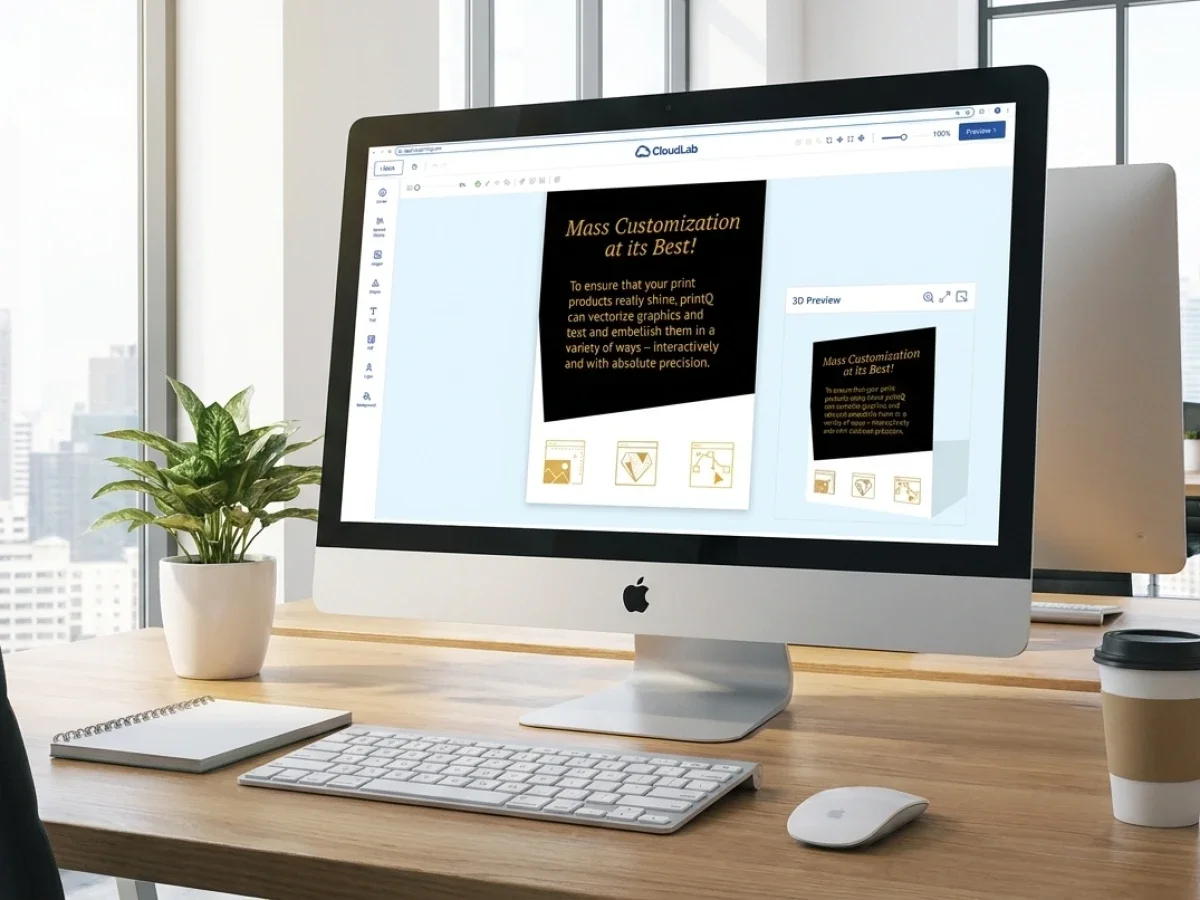
Form-field validation can help identify missing or incorrectly formatted information. Live Preview allows the user to inspect the personalized result before submitting it for review. For appropriate display products, 2D or 3D Preview can provide additional visual context before production.
Step 3: Route Approvals According to Business Rules
The workflow identifies the responsible reviewers according to the material type, brand, region, and requested changes. A standard localization may follow a streamlined process, while a new promotional claim can require additional approval. The retailer should define these conditions before automating them.
Reviewers receive the submitted material and the information needed to make a decision. When corrections are required, the request returns to the appropriate stage instead of starting a separate email conversation. The revised version should remain associated with the workflow so the organization can identify what was ultimately authorized.
Step 4: Connect Approval With Marketing Procurement
After the required approvals, the store employee proceeds through the authorized ordering process. The request includes the relevant quantity, delivery address, organizational assignment, and other purchasing information. Procurement can manage the order according to the retailer's defined supplier and fulfillment structure.
For personalized materials, Print on Demand may be appropriate because the approved content varies by location. Standardized materials can instead be fulfilled from Warehousing where inventory is available. The purchasing process should preserve the connection between the approved artwork and the order that enters fulfillment.
Step 5: Prepare Production Data and Supplier Handoffs
Production teams require reliable files and structured order information. Depending on the configured workflow, automated print-data generation, job tickets, delivery documents, JDF files, and FTP transfers may support downstream processing. These interfaces must be validated against the receiving supplier's technical requirements.
For campaigns involving large numbers of personalized records, CSV or Excel uploads can support Variable Data Printing. Where relevant, PDF/VT can form part of the production workflow for variable-data output. The retailer should test representative records, incomplete inputs, and production exceptions before relying on automated processing.
Step 6: Measure Approval and Production Performance
After the campaign, Marketing Operations should examine how many requests were completed without manual assistance. The organization should also review approval delays, rejection causes, correction frequency, and the number of production-related exceptions. These indicators help identify whether automation has reduced work or simply moved it elsewhere.
Procurement can evaluate order completeness and fulfillment accuracy, while Brand Management examines Corporate Design compliance. Store employees can provide feedback on template usability and workflow clarity. Together, these findings provide a practical basis for improving the next campaign.
Measuring Approval Workflow Software Performance
Approval speed alone is an incomplete measure of software effectiveness. A process can become faster while producing more incorrect artwork or requiring additional corrections during production. Retailers should therefore assess approval performance alongside content quality, purchasing accuracy, and operational workload.
Useful measures include time to approval, first-pass approval rate, revision frequency, manual intervention rate, and production error frequency. These metrics should be segmented by brand, campaign type, and organizational unit where possible. Otherwise, strong performance in one area may conceal recurring problems elsewhere.
A retailer should also measure how often local teams use approved templates instead of creating materials outside the governed environment. High portal usage is valuable only when it corresponds to successful completion of authorized workflows. Repeated support requests or frequent rejection of the same fields may indicate that template rules or user permissions require adjustment.
For Procurement, the relevant outcomes include complete order information, correct supplier assignment, and fewer corrections after approval. For IT, integration reliability and administrative effort are important. These perspectives help management determine whether the platform improves the complete marketing process rather than one isolated stage.
Building a Sustainable Approval Governance Model
Approval workflows need ongoing maintenance because retail organizations change frequently. New brands may be acquired, stores may open or close, regional responsibilities may shift, and suppliers may be replaced. The governance structure must accommodate these developments without creating conflicting permissions or outdated approval routes.
Corporate Marketing should maintain ownership of master templates and brand standards. Marketing Operations should review workflow performance, while Procurement manages purchasing responsibilities and IT maintains technical integrations. Clear ownership ensures that process changes are implemented deliberately rather than through informal exceptions.
Template lifecycle management is equally important. Campaign materials should have defined validity periods, and outdated resources should be withdrawn from normal use when they are no longer approved. Users should not have to determine whether a promotional asset is current by comparing file names or asking headquarters.
brandQ's integrated approach supports the connection between Brand Portals, Web-to-Publish, Approval Workflows, Marketing Procurement, and Marketing Automation. For multi-brand retail, the long-term value comes from keeping these processes aligned as the organization expands. Approval governance becomes sustainable when every participant understands which decisions they own and which activities the system can handle automatically.
Marketing approval workflow Software for retail campaigns
Choosing the best marketing approval workflow software multi-brand retail organizations need requires evaluating the entire campaign lifecycle. Effective software must protect Corporate Design standards, represent complex organizational hierarchies, route approvals according to responsibility, and maintain the relationship between authorized artwork and production.
brandQ provides a relevant framework through its combination of Web-to-Publish, User Management, Approval Workflows, Marketing Procurement, and Marketing Automation. Its modular approach allows retailers to connect centrally governed templates with decentralized personalization, structured review, and supplier-oriented workflows.
The most reliable selection process is based on real operating scenarios rather than isolated feature demonstrations. Retailers should test brand separation, local editing, rejection handling, enterprise integrations, purchasing information, and production handoffs before committing to a wider rollout. This reveals whether the proposed configuration can support actual campaign requirements.
For Corporate Marketing, Procurement, IT, and production teams, the objective is a consistent process that reduces preventable errors without introducing unnecessary approvals. The right implementation enables local retail teams to execute campaigns efficiently while headquarters retains control over brand identity, authorization, and production readiness.
Selecting marketing approval workflow software for multi-brand retail requires more than evaluating review dashboards. Retailers need controlled templates, brand-specific permissions, conditional approvals, reliable localization, and connected production processes. Decision-makers can assess these capabilities, compare workflow architectures, and validate implementations through real campaign scenarios. With brandQ, CloudLab connects Web-to-Publish, digital brand governance, Marketing Procurement, and Marketing Automation in one scalable framework. The result is a structured approach to reducing approval delays, protecting Corporate Design, and improving coordination between headquarters, stores, Procurement, and production partners.
Key answers for decision-makers
- Software selection: Multi-brand retail approval software must support brand-specific permissions, controlled templates, conditional approvals, localization, and production integration.
- Operational risk: Disconnected approvals create version confusion, delayed campaigns, unauthorized adaptations, and incorrect materials reaching stores or suppliers.
- Architecture comparison: Integrated Marketing Management connects creation, review, procurement, and fulfillment; isolated approval workflows require additional coordination between systems.
- Implementation: Map brand hierarchies, approval ownership, enterprise data, supplier interfaces, and exception rules before configuring the platform.
- Practical validation: Test a real campaign across several brands and stores, including editing, rejection, reapproval, print ordering, and production handoff.